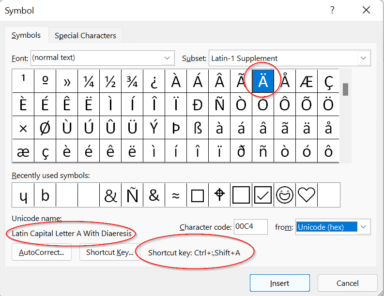
Five ways (and more) to type Accent characters in Word and Outlook
More than five ways to type characters with accent, grave, circumflex, tilde, umlaut, dieresis or cedilla in Microsoft Word and Outlook when they aren’t on the keyboard such as á ã à ä Ç ç ē é ê è ë â ê î ô û and many more. Typing accented letters can be a chore […]

Outlook.com users face sign-in issues with email clients
A technical issue has been affecting Outlook.com users who try to access their accounts using various email clients, Microsoft announced. The problem started on January 23, 2024 was partly resolved late on 31 January and finally on 2 Feb for some but not all customers. Outlook 2013 and Outlook 2016 users might have some extra […]

Outlook – change away from Aptos font
Switch from the new Aptos default font in Outlook to another font that you prefer and is has better readability in Outlook desktop (Windows or Mac) and Outlook (new). Personally I’ve tried to like Aptos fonts but after a few months they still offend my eyes, especially in emails. It’s too ‘blocky’ and hard to […]
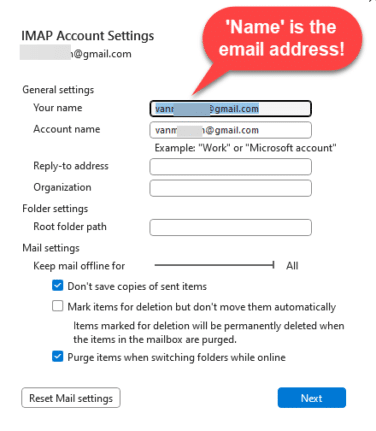
Avoid this common email mistake and how to fix it
Check that emails you send are labelled properly with your name in the FROM box. It’s a common email mistake we see every day. We found a problem with Outlook that makes this mistake automatically for Gmail users! The FROM: part of an email can have the wrong name or no name at all. The […]

What the hell is Copilot and how can it help me?
Let’s take a moment to explain, without the hype, what Copilot is and what it can do for you and all Microsoft Office users including Office 2021,2019 and earlier. We’ll explain some ways Copilot can save time and money doing simple tasks for anyone with Microsoft Office. Beleive me that AI systems like Copilot are […]

Copilot for Microsoft 365 – what you need to know
What you need to know about Copilot for Microsoft 365 which brings AI technology into Microsoft Office including Word, Excel, PowerPoint and Outlook. Here’s how to get Copilot for Microsoft 365 and the secrets to getting it working. What is Copilot for Microsoft 365? Copilot for Microsoft 365 applies to Microsoft 365 business and enterprise users: […]
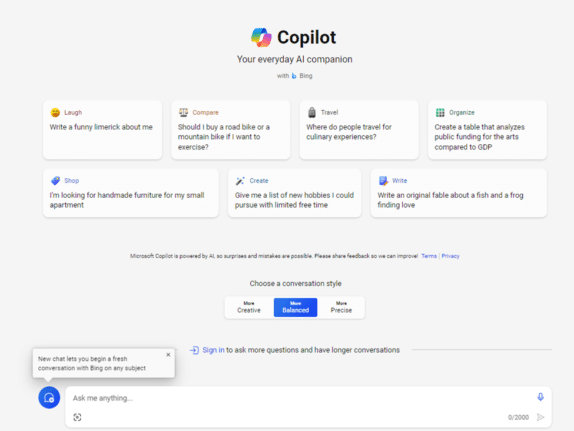
Try Copilot AI two ways for less money or none
There are two ways to try out paid Copilot for less money. If you’re not sure but want to try the enhanced AI features in Office there are a smart ways to get Copilot without dropping a lot of money in advance for unknown benefits. Let’s face it, Microsoft is asking a lot with their […]

Laundry care symbols typed in Word, Excel and PowerPoint
Many different ways to type or insert laundry care symbols, which appear on clothing labels, into Word, Excel or PowerPoint. Laundry care symbols can be for laundry area signs or for fun like this t-shirt. Or alternative symbols in a PowerPoint slide. All five symbols were black laundry care icons. As SVG graphics all five […]
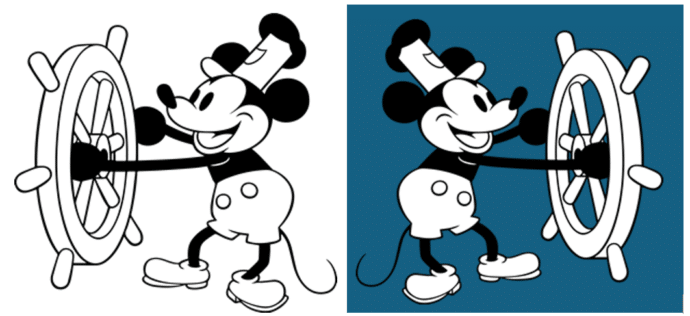
Microsoft Office welcomes Mickey and other public domain characters
How to get and use the copyright free Mickey Mouse and other public domain creations in Microsoft Office. Add to Word documents or PowerPoint slides. There’s been a lot of stories about content that is now in the public domain, especially Mickey Mouse. That copyright expiry applies to the USA only. Copyright law is different […]

Calendars Galore from Microsoft Office!
Microsoft Office has many, many print calendars to choose from, if you know where to look. There’s a trick to choosing the right calendar for your needs, made by Word, Excel, Outlook or PowerPoint. Printing out calendars or adding them to documents/slides is possible in Microsoft Office though the selection is spread across Word, Excel […]
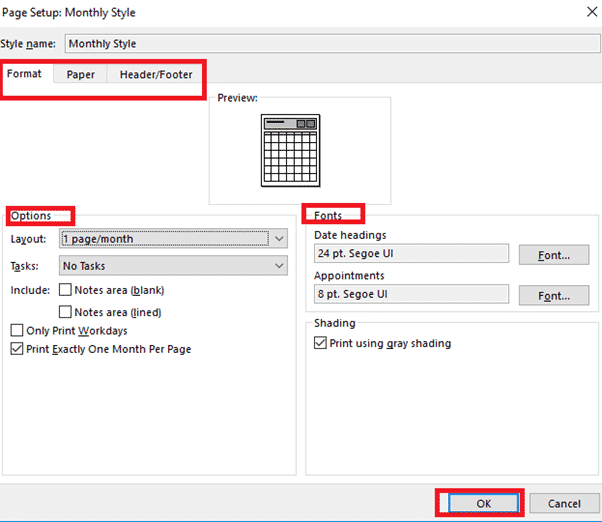
Making better Outlook Printed Calendars
Each of the Outlook printed calendars has some options to improve what’s shown on the page. Task List, Upcoming appointments and blank note space can all be selected to suit you. If you want to define your calendar options you have to ‘click deep’ into what Microsoft calls ‘styles’ (no relation to Styles in Word, […]
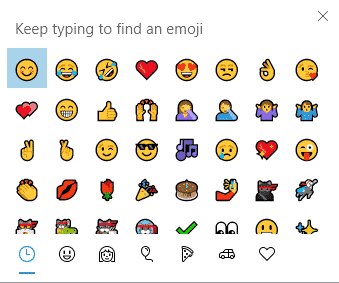
Emoji Panel is part of Windows that totally sucks
Windows 11 and 10 has the Emoji Panel. What a pity that it totally sucks and is incredibly dumb. Emoji Panel is better than what we had before (nothing) but not by a lot. We’re talking about the Emoji Panel or ‘keyboard’ which appears in Windows 11/10 when you press Win + . (Windows key […]

All about the Windows 10 Emoji Panel
All about the Windows 10 Emoji Panel, a fast way to type emoji 😁, symbols §⁜✓, emoticons 🙂 and kaomoji (❁´◡`❁) into any Windows app, document, slide, email or message. This is how it appears in Windows 10. If you have Windows 11, the Emoji Panel works differently, see Get the most from Windows 11 […]

Get the most from Windows 11 Emoji Panel
The Windows 11 Emoji Panel is a quick way to type emoji 😁, symbols §⁜✓, emoticons :), kaomoji (❁´◡`❁) and even animated GIF’s into any Windows app, document, slide, email or message. We’re talking about the Emoji Panel or ‘keyboard’ which appears in Windows 11 when you press Win + . (Windows key plus period/fullstop) […]
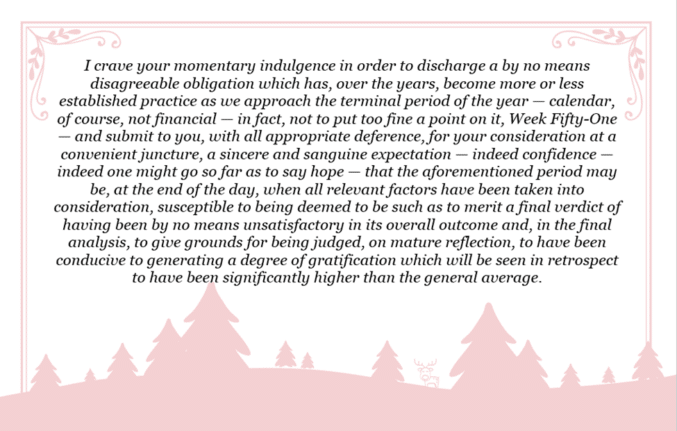
A ‘Yes Minister’ Christmas card
A scene from a famous UK sitcom could also be used as a unique and overly literate Christmas card. ‘Yes Minister’ is a famous UK sitcom set in the British Public Service and politics. Sir Humphrey Appleby (played to perfection by the late Sir Nigel Hawthorne) gave amazingly convoluted explanations for the simplest things. This is […]

Five snowflake ❄ symbols in Word, Excel, PowerPoint and Outlook
Five ways to add a Snowflake ❄ symbol into Microsoft Word, Excel, PowerPoint or Outlook. Both in Office for Windows and Office for Mac. There are three snowflake symbols plus two Office icons. Snowflake ❄ symbols are normally used to show, well, a snowflake or generally to indicate cold or snow. Maybe also as a […]









