Office 2021 is the personal and small business ‘perpetual licence’, non-subscription version of Microsoft Office. For Windows and Mac.
Office LTSC (Long Term Servicing Channel) is the volume licence ‘perpetual licence’, non-subscription version of Microsoft Office for organizations, companies and governments. Also for Windows and Mac.
The features in Office 2021 and Office LTSC are very similar, if not the same.

Save your WordPad before it’s too late
Wordpad is about to be removed from Windows 11, here’s something you can try to keep this useful Word document app available. Microsoft is ending WordPad the long-standing app that’s installed with Windows which can open, view, edit and print Word documents (.doc .docx) and RTF files. Microsoft isn’t just removing WordPad from new Windows […]

Outlook – change away from Aptos font
Switch from the new Aptos default font in Outlook to another font that you prefer and is has better readability in Outlook desktop (Windows or Mac) and Outlook (new). Personally I’ve tried to like Aptos fonts but after a few months they still offend my eyes, especially in emails. It’s too ‘blocky’ and hard to […]
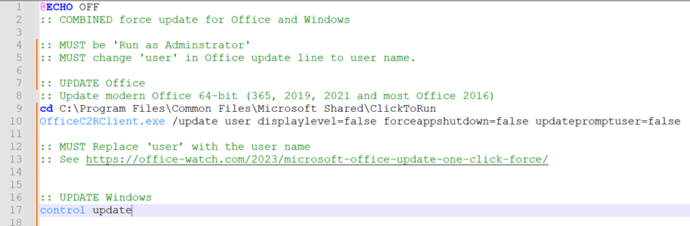
Combined ‘one-click’ update for both Windows and Office
Here’s a combined ‘one-click’ way to force an update to both Windows and Microsoft Office at the same time. Normally Windows and Office both update themselves automatically and in the background so you don’t have to worry about it. But there are times when you need to ensure both are fully updated. To do that […]
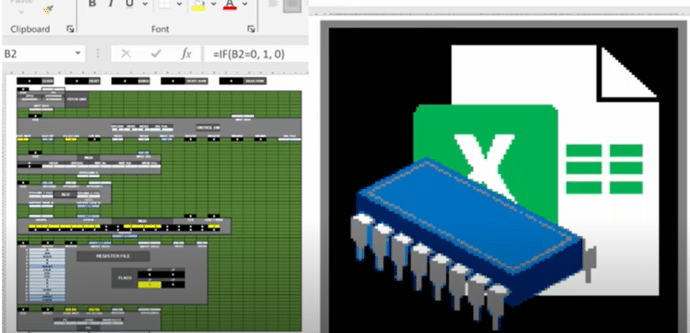
Make your own CPU using Excel
You can do incredible things in Excel but here’s something truly amazing. Someone has made a 16-bit computer chip (CPU) emulation entirely in Excel. We have links to the source code and fascinating video that explains it all. @Inkbox has recreated the basic logic of a CPU to make a mini-computer in Excel with no […]
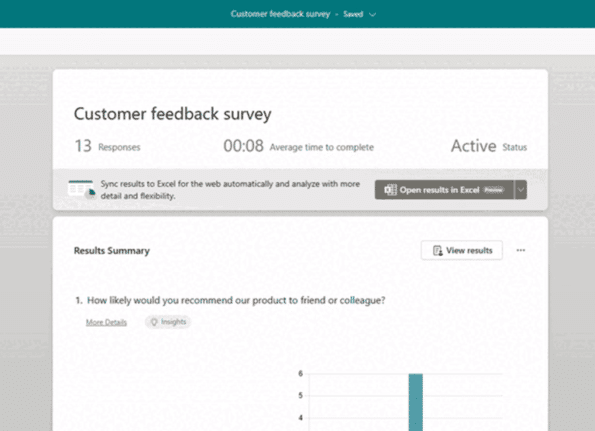
Microsoft Forms (finally) live updates Excel
At long last, there’s a way to get Microsoft Forms results synchronized with an Excel workbook. It’s not what Excel users were expecting but it’s a start. Microsoft is calling this a ‘highly anticipated feature’ which is corporate weasel term for a long-standing customer request that’s finally fulfilled (in part). The Forms responses page should […]
Is AutoSave really the ‘greatest feature of all time’?
According to Microsoft, AutoSave is the ‘greatest feature of all time’. That’s ‘over the top’ even for Microsoft and it only highlights the self-serving limitations of the current Autosave feature in Office. “Autosave is the greatest feature of all time and you can use it across your M365 apps. That’s all.” The ‘X’ (formerly Tweet) […]
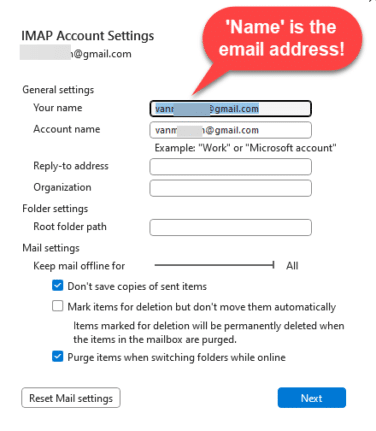
Avoid this common email mistake and how to fix it
Check that emails you send are labelled properly with your name in the FROM box. It’s a common email mistake we see every day. We found a problem with Outlook that makes this mistake automatically for Gmail users! The FROM: part of an email can have the wrong name or no name at all. The […]

What the hell is Copilot and how can it help me?
Let’s take a moment to explain, without the hype, what Copilot is and what it can do for you and all Microsoft Office users including Office 2021,2019 and earlier. We’ll explain some ways Copilot can save time and money doing simple tasks for anyone with Microsoft Office. Beleive me that AI systems like Copilot are […]

Laundry care symbols typed in Word, Excel and PowerPoint
Many different ways to type or insert laundry care symbols, which appear on clothing labels, into Word, Excel or PowerPoint. Laundry care symbols can be for laundry area signs or for fun like this t-shirt. Or alternative symbols in a PowerPoint slide. All five symbols were black laundry care icons. As SVG graphics all five […]

Microsoft Office welcomes Mickey and other public domain characters
How to get and use the copyright free Mickey Mouse and other public domain creations in Microsoft Office. Add to Word documents or PowerPoint slides. There’s been a lot of stories about content that is now in the public domain, especially Mickey Mouse. That copyright expiry applies to the USA only. Copyright law is different […]
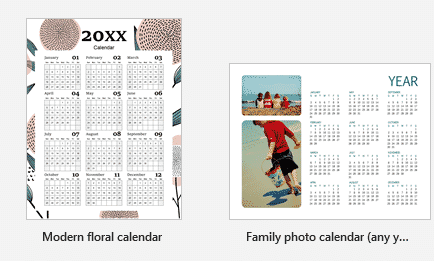
2024 Calendars in Word and the tricks to make them special
Word has many 2024 calendars in the File | New templates supplied by Microsoft. There are tricks to getting the most from the templates and make them personal and special. Search for ‘ calendar’ in the File | New pane. They are all programmed templates, type in type in the year and Word will do […]
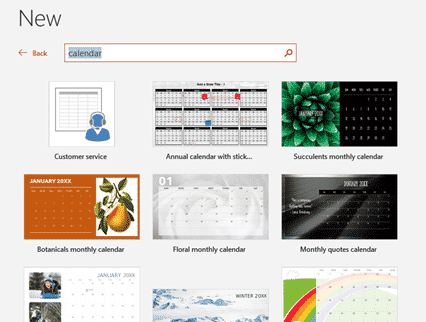
2024 Calendars in your PowerPoint slides
There are 2024 calendar templates available for PowerPoint, giving you landscape oriented calendars but less options overall. Landscape calendars PowerPoint calendars aren’t just for presentations. They offer printable landscape orientation calendars not usually available in Word or Excel. Look for the overall layout you want, change the images and colors to suit. Just like Word […]
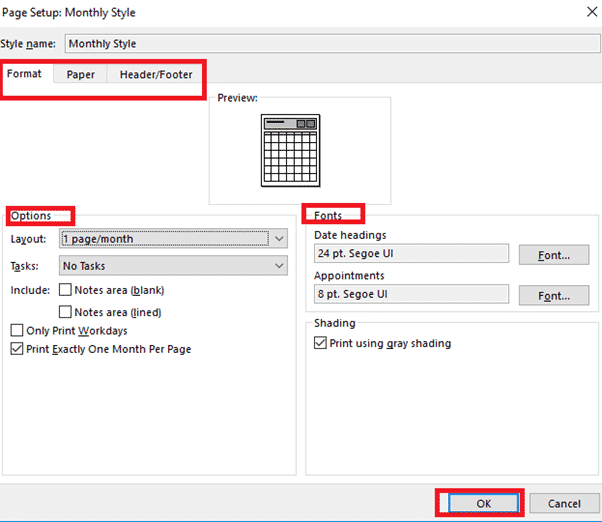
Making better Outlook Printed Calendars
Each of the Outlook printed calendars has some options to improve what’s shown on the page. Task List, Upcoming appointments and blank note space can all be selected to suit you. If you want to define your calendar options you have to ‘click deep’ into what Microsoft calls ‘styles’ (no relation to Styles in Word, […]
Make Excel calendars better for you
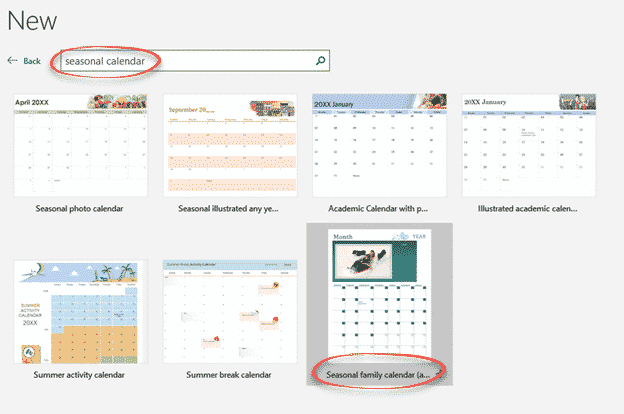
Excel can make calendars from some supplied templates. Some templates are labelled with a specific purpose however a few simple changes can make them better and suit what you need. Sadly, the help with the templates can be wrong or misleading. Here’s just one example to show what’s possible to make a specialist Excel calendar […]

Make your own Yearly calendars and more in Word
Microsoft Word can make Yearly and Monthly calendars quite easily and they have better configuration options than you might expect. We’ve already looked at the Outlook printing options , customizing them including blank Weekly and Monthly calendars. Outlook doesn’t have a yearly calendar option, so we’re turning to Word. We’ll look at just one option available […]

How to Find inside Text Boxes for Microsoft Word
All about Find in Microsoft Word Text Boxes. Text Boxes in Word have special needs when you’re either looking for text inside Text Boxes only or just the main document. What’s inside Text Boxes is handled separately to the main document, depending on the options you’ve chosen for the search. Find in Text Boxes Standard […]









