Office 2021 is the personal and small business ‘perpetual licence’, non-subscription version of Microsoft Office. For Windows and Mac.
Office LTSC (Long Term Servicing Channel) is the volume licence ‘perpetual licence’, non-subscription version of Microsoft Office for organizations, companies and governments. Also for Windows and Mac.
The features in Office 2021 and Office LTSC are very similar, if not the same.

Favorite Christmas font for Microsoft Word & Office
We take a look at a Christmas-themed font called Igloo, where to get it, and more, all compatible with Microsoft Office, Word etc for Windows or Mac One of my favorite fonts is the snow capped TrueType font usually called Igloo or Igloo Laser. A set of letters and numbers with ‘snow’ draped over the […]
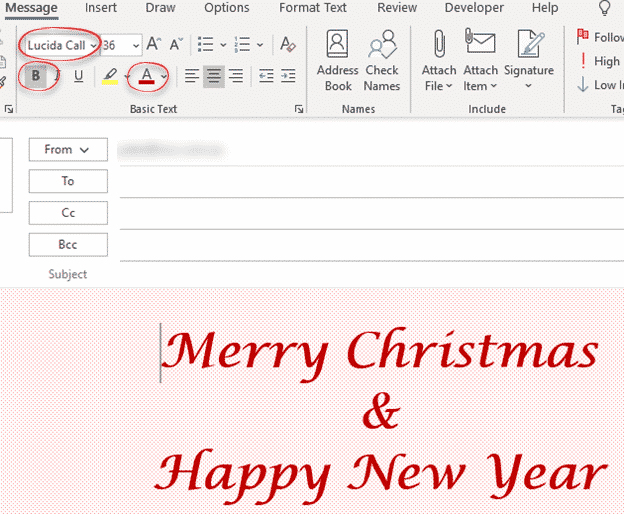
How to make personal Christmas emails
Send a colorful and personal Merry Christmas, Happy Holidays or Happy New Year email. Here’s a quick design you can do in Outlook from the resources and settings you already have. As usual with Office-Watch.com, we’ll explain our choices so you can adapt them to your preferences. Keep in mind that emails can look different […]

Add Santa Hats to your Xmas photos and emails
There are many red and white Santa hats that you can quickly add to any photo using Word, Outlook, PowerPoint or any Microsoft Office app. I’ll explain where to get some Santa hats and how to add them to a picture. A Santa Hat can add a little festive fun to a photo, like this […]

Airplane ✈ symbol in Word, Excel, PowerPoint and Outlook
Type the Airplane ✈ symbol, icon, emoji into Microsoft Word, Excel, PowerPoint or Outlook. Both in Office for Windows and Office for Mac. Airplane ✈ symbol is often used for signs, directions or an itinerary, possibly in combination with symbols for other transport like train, car, walking. For more ‘airplane’ related graphics see Even more […]
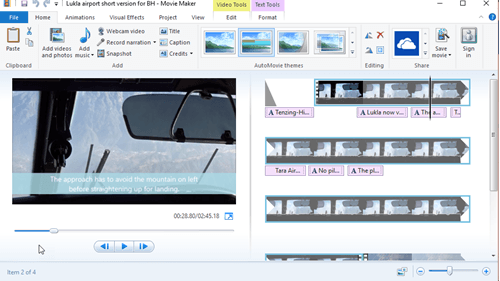
Windows Movie Maker is still available
Windows Movie Maker is a simple and free video editor from Microsoft that still works in modern Windows. Officially it’s no longer available but it’s still available if you know the magic spell. We’ve explained how to get the much-loved Office Picture Manager even though it’s been officially removed from Office. Movie Maker was part […]
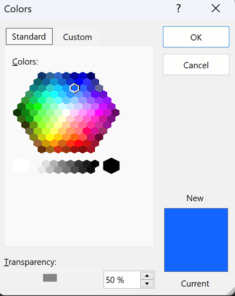
What is RGBA color and how to use in Microsoft Office
RGBA color codes are an extension of the RGB (Red, Green, Blue) color system which you can use in modern Microsoft Office with a little trickery. There’s an annoying difference (reversal) in settings on Office for Windows vs other Microsoft services and Office for Mac. RGB colors have been around for a long time to […]
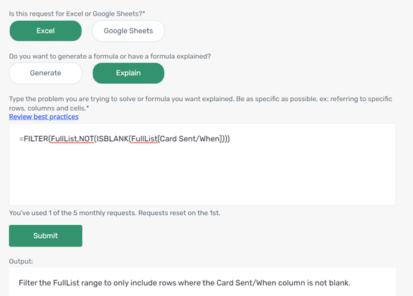
Add the Excel Formula Bot into Excel itself
The excellent Excel Formula Bot is now available as an Excel addin for subscribers to the Bot service and now can explain a formula in plain language. Excel Formula Bot is a wonderful service which converts human-speak into Excel formula-speak or vice-versa. Since we last reported, David Bressler has added an ‘Explain’ option which takes […]
Hidden Text Printing options and workaround for Word
Hidden Text Printing in a Word document is possible but is more complex than it should be. Here’s how to change the setting quickly from the ribbon or change the print setting just for one print job. By default, the hidden text will not be printed, but you can choose to print it if you […]

Two “Quick Quotes” extras for Word
Two simple Word add-ons to put quotes before and after a block of text – either pasted from the clipboard or selecting some text already in the document. Your choice of ‘single’, “double”, smart or some other quotation marks. “For me and, I am sure, many other writer, quotes are a time consuming nuisance. It […]
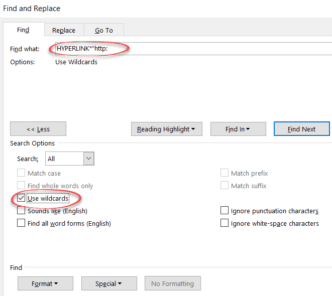
Two tricks to Find or Replace web links in Word
Find or change many web links in Word documents using the Replace command, here’s the two tricks – one is good and the other not so effective. For example, you might need to change the domain name due a corporate restructure or update links so they are secure (https) instead of regular (http) links. Reveal […]

Set your own Shape default settings in Microsoft Office
You’re not stuck with the Microsoft automatic settings when inserting a new shape. Change the defaults to whatever you like for faster shape formatting in Office; Word, Excel, PowerPoint or Outlook. When you Insert | Shape, something like this probably appears. Blue fill, 1pt black single line outline, no effects and Text Wrapping in front […]
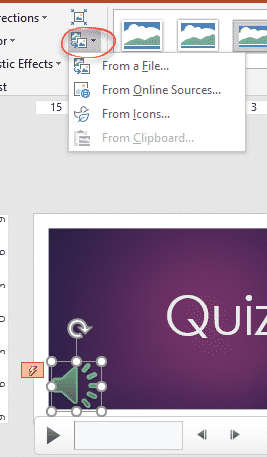
Change the PowerPoint audio/music speaker icon
In late 2016, Microsoft removed the PowerPoint audio ‘Change Picture’ option from the right-click menu for the music icon and they show no interest in bringing the choice back. The feature hasn’t gone away, it’s just not on the right-click menu where it should be. The workaround is on the Audio Format | Adjust ribbon where the Change […]

Bypass Office Backstage and get to ‘real’ Open or Save dialogs
If you don’t like the large Office Backstage pane, the older and more powerful Open and Save dialog boxes are still available via shortcuts or changing a Microsoft Office setting. Microsoft has spent a lot of time and effort changing the Word, Excel and PowerPoint File panes to add more features and unsubtle hints to […]

Viva Magenta! Pantone’s 2023 color in Word, Excel and PowerPoint
Pantone has announced their “Color of the Year” for 2023 is “Viva Magenta” and, as usual, we’ll explain how to use that exact color in Word, Excel, PowerPoint and Outlook. And we’ll look at the purple prose that’s become a hallmark of Pantone’s annual promotion. The color of 2023 is … Viva Magenta As usual […]
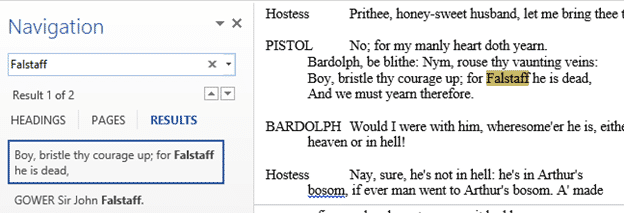
Find and edit trick in Microsoft Word
In Microsoft Word you can use Find combined with your own actions and easily switch between the Find and editing. That’s great for situations where a simple Replace command isn’t enough. Find results show up in the left-hand pane or dialog box, you can move between find results and editing, change the text in or […]
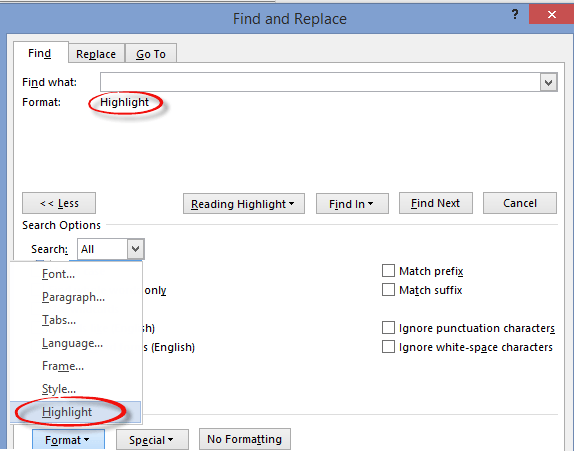
Word: Finding and Fix Highlighted text
One major use for Find and Do in Microsoft Word is to find highlighted text and let you change them. Highlighted text is often used to mark parts of a draft that need more work. There’s always the risk that the final document will go out with highlighted, unfinished, text still in place! This […]









