Office 2021 is the personal and small business ‘perpetual licence’, non-subscription version of Microsoft Office. For Windows and Mac.
Office LTSC (Long Term Servicing Channel) is the volume licence ‘perpetual licence’, non-subscription version of Microsoft Office for organizations, companies and governments. Also for Windows and Mac.
The features in Office 2021 and Office LTSC are very similar, if not the same.
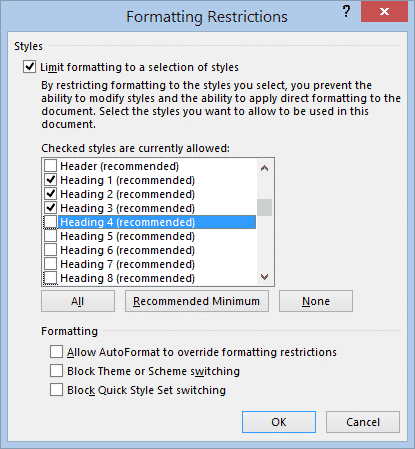
Limit editing and collaboration within a Word document
There are options in Microsoft Word to limit access a document in different ways. It’s more fine-grained control of what people can do in the document rather than the entire Word document permissions options we’ve mentioned before. Restrict Editing options let you collaborate on a document more broadly without the risk that important parts will […]
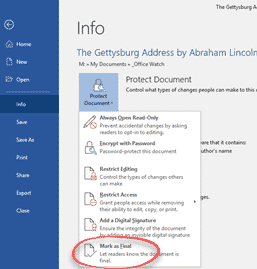
Three ways to stop people changing your Word document
Word, Excel and PowerPoint have options to stop people from changing a document, making them ‘read only’ in tech speak. These options protect your documents from unauthorized editing or even reading them at all. There are different levels of protection, they are all under File | Info | Protect Document. While they are mostly talked […]

Stop copying of your signature as a picture
There’s no way to stop someone copying a picture of your signature (or any image) but there are some tricks to stop the image being misused. Thanks to Office Watch reader, Tim P. for the excellent question: “I liked your article on inserting signatures. In relation to inserting a picture of my signature, I was […]

Insert a signature picture into a Word document
There are some nifty tricks to inserting a picture of your signature into a Word or other document. Tips that make the result look realistic and professional. We’ve already explained the many ways to get a picture of your ink signature into Office. Now you have a picture of your signature, it’s ready to be […]

All the ways to sign a digital document in Word and more
Adding your signature or signing a document digitally is possible in different ways using Microsoft Word or other Office programs. Before we start, let’s clarify some terminology because ‘signing a document’ can mean several things in the computer world: Adding a signature to a document. Inserting a copy of a human written signature into an […]
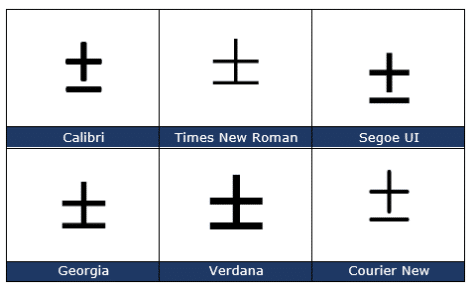
Plus or Minus sign ± in Word, Excel, PowerPoint and Outlook
Type the ‘Plus or Minus sign’ ± into Microsoft Word, Excel, PowerPoint or Outlook. Both in Office for Windows and Office for Mac. Plus-Minus ± symbol isn’t just used for equations, it’s also used as a shortcut for ‘plus or minus’. In statistics you’ll often see results given as being “ ± 3% ”. How […]
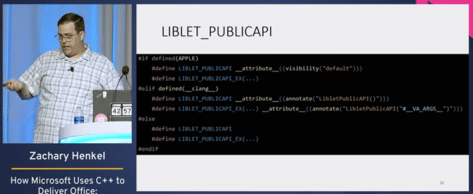
Peek inside the code that makes Microsoft Office
Here’s a rare peek inside the C++ programming code that makes Microsoft Office possible. Zachary Henkel gave a speech at CppCon 2022 titled “Microsoft Uses C++ to Deliver Office – Huge Size, Small Components” which is now available on YouTube. Mr Henkel speaks from experience, he’s worked at Microsoft for the last eight years and […]

Change sentence space after fullstop/period in Word
Microsoft Word can check if you use a single or double space after a sentence (fullstop/period) but how can it be changed throughout a document? Make all sentences end with a single space instead of double spaces, triple or more. The Sentence Spacing settings (single, double or don’t care) is in Word’s Grammar settings see […]

Send party invitations from Outlook
Sending out party and other non-business invitations is quite possible in Outlook. While the system is primarily intended for meetings in companies, individuals can use it too. Microsoft has tinkered with the look of Outlook but the fundamentals remain the same. Using Outlook you can email invitations which include links to maps or more information. […]

Four X cross ✗ choices in Word, Excel, PowerPoint and Outlook
Type one of the four diagonal cross Mark ✗, multiplication or ballot symbols into Microsoft Word, Excel, PowerPoint or Outlook. Both in Office for Windows and Office for Mac. The X or Cross Mark ✗ symbol is used for bullet or check lists and other indicators. It’s the opposite of the tick or Checkmark. There […]
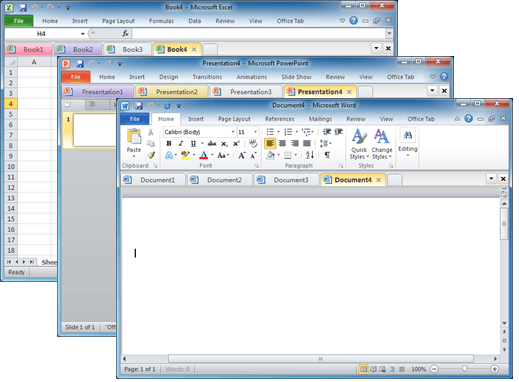
Documents in tabs option for Microsoft Office
There’s a useful and long-standing Office add-on for people who have many documents open at once and prefer them to appear in tabs (like web pages) instead of separate windows. Office Tab switches Microsoft Office for Windows from the usual ‘one document per windows’ view to ‘many documents in a single window’. This can be […]

Save Office images or slides to SVG format
Microsoft Office 365 and Office 2021 let you save images to SVG format from either images/graphics, charts or whole slides from PowerPoint. Originally ‘Save As SVG’ was only in PowerPoint 365 Windows but it’s quietly spread to Word 365, Excel 365 and Outlook 365 as well as the Office 2021 apps. SVG is a scalable […]

Printing tricks for Microsoft Word and Office
There’s a lot more printing and money saving options available if you know where to look or use a little cunning to get what you want. Microsoft Word documents with rescaling paper size, saving money in ink or toner, double-sided printing, two pages to a sheet, poster sizes and booklets. There are ways to save […]
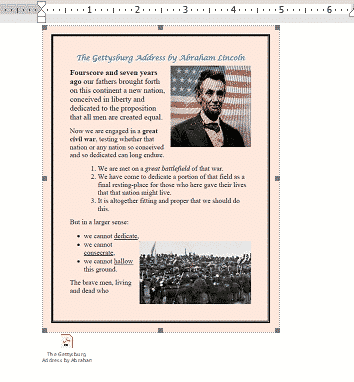
Three ways to add a PDF into a Word document
Here’s three ways to add a PDF into your Word document. Like many things in Microsoft Word, there is more than one way to add a PDF file into a Word document. From a simple link to another file to converting the PDF into a Word document. In most cases you’ll link to a PDF […]
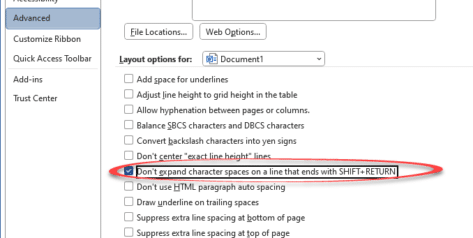
Four Word fixes for stretched out last line
To my horror, I encountered something strange while working on a Word document with “strung out” or ‘stretched’ text on the last two lines with huge gaps of space between them. Here’s the two ways it can happen and the four fixes available. A stretched-out line in a Word document often happens while pasting text […]

Inside Smart Copy and Paste in Word
When Microsoft Word was first released, all those years ago, it had a Paste feature but it was dumb and literal. These days Word’s Paste (Word for Windows and Word for Mac) is a lot smarter and does very useful things that you may not realize or appreciate. Before the ‘Smart Paste’ options came along, […]









