Office 2021 is the personal and small business ‘perpetual licence’, non-subscription version of Microsoft Office. For Windows and Mac.
Office LTSC (Long Term Servicing Channel) is the volume licence ‘perpetual licence’, non-subscription version of Microsoft Office for organizations, companies and governments. Also for Windows and Mac.
The features in Office 2021 and Office LTSC are very similar, if not the same.
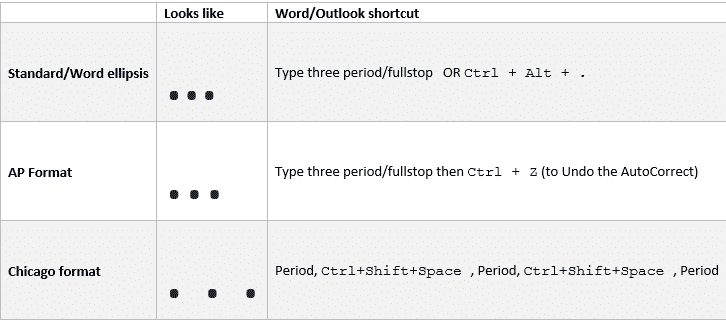
Ellipsis … symbol in Word, Excel, PowerPoint and Outlook
Type the three different types of Ellipsis … marks in Microsoft Word, Excel, PowerPoint or Outlook. Both in Office for Windows and Office for Mac. Ellipsis … symbol is used for a gap or break in some text, usually to drop out some irrelevant text or speech. The same applies in maths e.g. 1,1,2,3 …. […]

Comma Ellipsis ,,, in Word and Office
Like it or loath it but the comma ellipsis has arrived ,,, as an alternative to the more common ellipsis with dots. Here’s how to use it in Word and Office. The comma ellipsis is a modern, more casual version. It’s used as a more dramatic, even annoyed trailing off of a thought, compared to […]
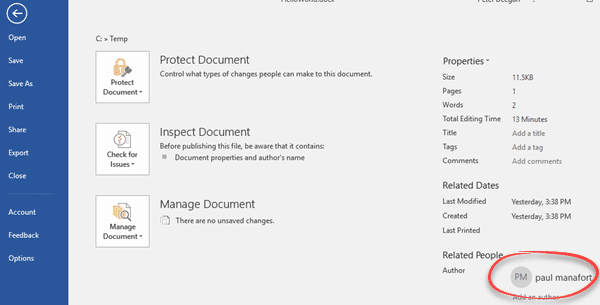
Changing the Author name in an Office document
How can you change the Author name in an Office document? How can you know that the name in a Microsoft Word document is the actual person not an imposter? It’s easy enough to go to File | Info to see and change the document Author name. We did that in a few seconds … […]

Microsoft Office and Oreos combine with Clippy – no joke
If you thought the modern world could not get any stranger, we’ve got bad news. Microsoft Office and Oreos (the chocolate cookie) have combined for a marketing stunt with online events (sorry “snack breaks”), special packs, tchotchke and emoji. Poor old Clippy has been dragged in as well. On the practical side, we’ll show how […]
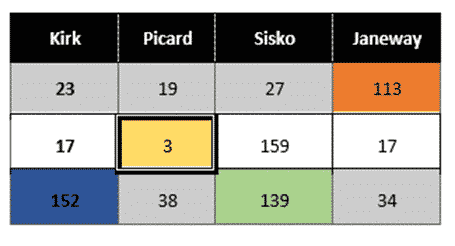
Merge or Split cells in Word and PowerPoint tables
Combine or divide adjacent Microsoft Word or PowerPoint table cells into a merged single cell or split a cell in two. Welcome to ‘Merge Cells’ where you can combine adjacent cells into a single cell. It’s very handy for table formatting tricks and other unusual situations like a longer than common text label. Or a […]

Simple text with day, month and year to Excel date conversion
The simple and easiest way to convert text dates to Excel dates is using Text to Columns on the Data tab. It’s a simple ‘one off’ method that works well and takes you through the steps. If you need something more automated, for new text dates entered from time-to-time use one of the formulas at Converting […]
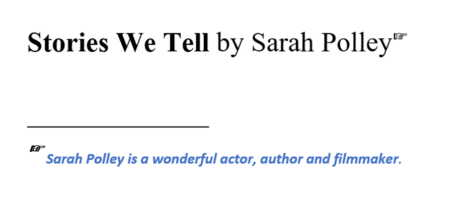
Choose your own Footnote or Endnote symbols in Microsoft Word
Footnote marks aren’t limited to numbers. Microsoft Word has many choices for listing footnotes or endnotes including the standard symbol order for notes or even your choice of custom symbols or emoji. Just one possibility for a footnote mark is a right-pointing hand like this: In-built Footnote/Endnote number choices Go to the Footnote and Endnote […]
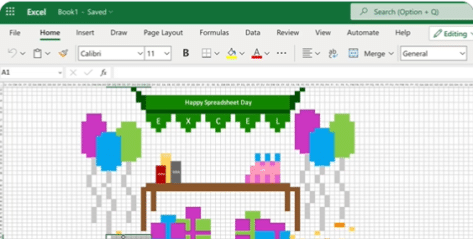
Happy Spreadsheet Day 2022 with Excel
Today, 17 October, is Spreadsheet Day and Microsoft has joined the event with a fun example of what Excel is capable of. #spreadsheetday #spreadsheets #excel Microsoft Excel at Office-Watch.com The hidden trap in Excel’s DateDif()Better Excel formula converts days into Years, Months, DaysFour ways to make text fit in an Excel cellCheck Performance – inside […]
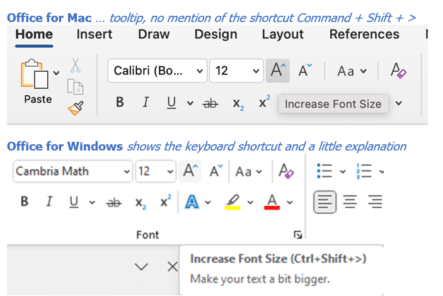
Why keyboard shortcuts are harder on Office for Mac
Office for Mac has keyboard shortcuts to speed up work but they are a lot hard to find than they should be. There’s no direct mapping of Office for Windows shortcuts into Office for Mac. Partly because the Mac has keys that aren’t on a regular Windows keyboard ( ⌘/Command and Option) . Conversely Windows […]

Office is becoming Microsoft 365 – or is it?
Microsoft has announced that “Microsoft Office” is now “Microsoft 365” – big deal. That already happened back in 2019 and the Office name will still be used. Is it really a name change or a bit of hype? What’s really changed? There’s a new logo – that’s all. As I said, “big deal”. Office has […]
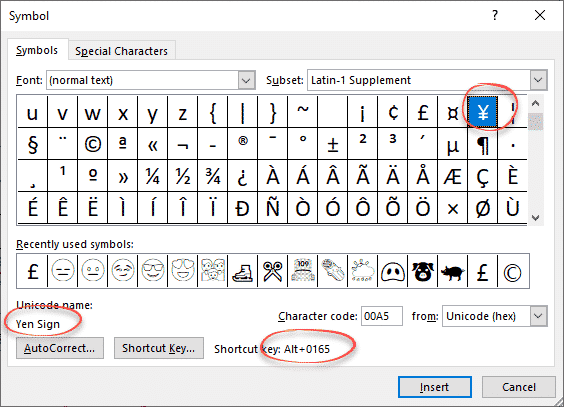
Yen ¥ symbol in Word, Excel, PowerPoint and Outlook
Type the Yen ¥ currency symbol into Microsoft Word, Excel, PowerPoint or Outlook. Both in Office for Windows and Office for Mac. Yen is used for Japanese currency and the Chinese Renminbi / Yuan. Microsoft Excel also offers the Yen symbol for Mongolia even though the tögrög currency uses another symbol. ¥ symbol is easy […]

PowerPoint ending slide ideas
More ideas and a wish list for ending a PowerPoint presentation with a different slide. After our article on the ending slide options for PowerPoint, Vivian from the UK writes: “… it’s really very easy to do what I always do at the end of PPT presentations. Just add a new blank slide – which […]
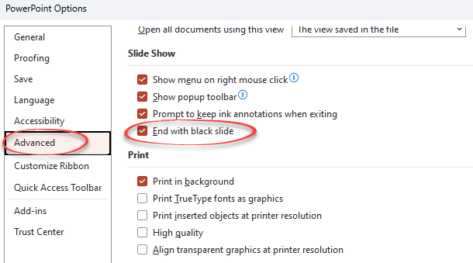
Avoid the black slide at the end of a PowerPoint slideshow
The blank black slide which appears usually at the end of a slideshow is a default setting in PowerPoint. But it can be changed. The blank black slide which appears usually at the end of a slideshow is a default setting in PowerPoint. But it can be changed. Open PowerPoint 365, PowerPoint 2021 back to […]

Murphy Brown look in Word or PowerPoint
Recreate the Murphy Brown TV show’s look as a design inspiration for Word and PowerPoint – the fonts, colors and lines. You may not want to use the exact look of the Murphy Brown title card, but it’s a starting point for design variations of your own. We’ll show how to make a similar look […]
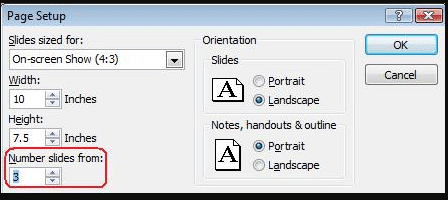
Change default slide number in PowerPoint
How to change the PowerPoint slide numbering to a different start number. In PowerPoint, slides are numbered by default from 1 but that’s not always what you need. For example, you’re working on some slides which are just part of a set of slides eg. working on slides from number 15 to 20 separately. To […]
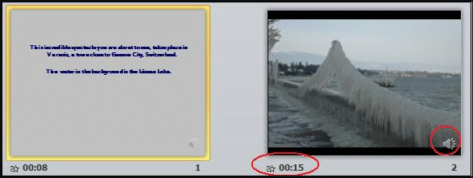
Record Narration and Timings in PowerPoint
In PowerPoint you can record narration and comments during or after a slideshow. This makes the presentation more interesting and interactive. This feature is especially useful when you convert presentation to video. With narration the video would seem complete and the process of doing this is quite simple and easy. This feature is available in […]