Office 2021 is the personal and small business ‘perpetual licence’, non-subscription version of Microsoft Office. For Windows and Mac.
Office LTSC (Long Term Servicing Channel) is the volume licence ‘perpetual licence’, non-subscription version of Microsoft Office for organizations, companies and governments. Also for Windows and Mac.
The features in Office 2021 and Office LTSC are very similar, if not the same.
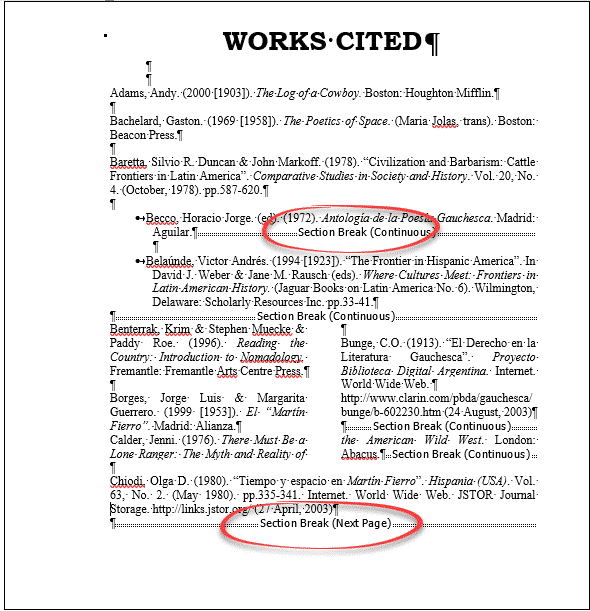
Reveal Hidden Characters and Word’s secrets with Show All
If you are working on a Word document with complex formatting, sometimes you need to see the hidden characters and unseen workings. It helps figure out Word’s secrets or what’s going on when the layout doesn’t behave. That’s where ‘Show All’ becomes essential. Microsoft Word was designed to hide all the formatting and technicalities (WYSIWYG). […]
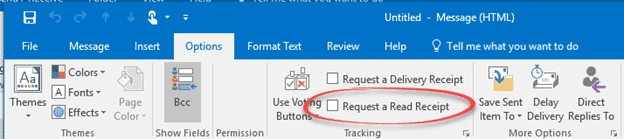
Email Read Receipts and why they don’t always work
Email Read Receipts sound great but don’t often work these days. Articles like “How to tell if someone opened and read your email” aren’t telling the whole story. Here’s the reality behind the Outlook ‘Read Receipt’ feature and how it works across the Internet. The idea is to send an email with a ‘Read Receipt’ and […]
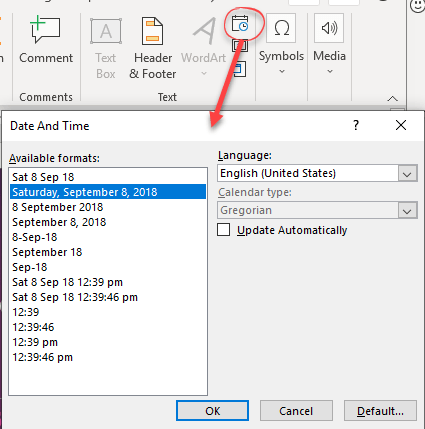
Add current date or time into PowerPoint
There are limited options for entering the current date and time into PowerPoint slides, notes and handouts. PowerPoint doesn’t have field codes like in Word, so Microsoft seems to have shoehorned in some field like features. Insert Date and Time in slide On the Insert Tab, right side there’s an Insert Date & Time button. […]

COUNTIF for Excel
The COUNTIF worksheet function in Microsoft Excel has a simple format that provides a quick and easy way to count the number of times a certain condition is met in a data set. By Kara Monroe That sounds imposing but it isn’t. Most likely you already use COUNT to count the number of cells that […]
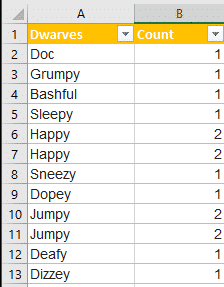
Excel how to remove both items if a duplicate
Excel has an in-built feature to remove duplicates from a list but what if you want to delete both items if they are duplicated or more than two? Remove Duplicates Remove Duplicates is tucked away on the Data tab, Data Tools | Remove Duplicates. It will ensure that an Excel list/table has only unique values […]
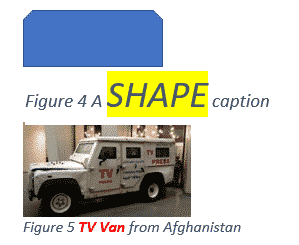
Changing Caption look in Word or hiding captions completely
The appearance of all your captions in Microsoft Word can be changed by modifying the style that is applied to them or selecting the text and formatting manually. See Adding Captions in Word Caption Style All captions use the ‘Caption’ style, so modifying that style will modify the format of all past and future captions. Style […]
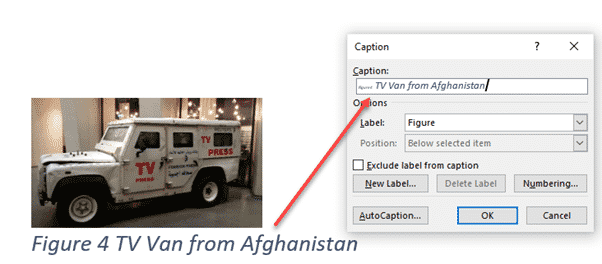
Adding Captions in Word
Captions let you add autonumbered labels under most Word objects including pictures (figures), tables or equations. Captions can be combined into a list of all the figures/tables/equations in the document, along with their page numbers. As usual in Word, there are many options beyond the simple adding of captions and some ‘gotchas’ as well. See Changing […]
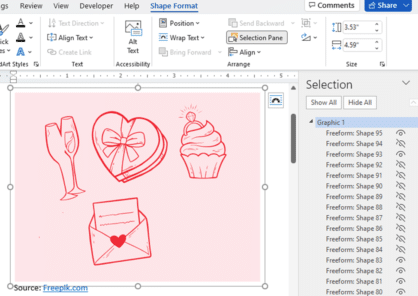
Three ways to add EPS graphics into Microsoft Office
Three ways to insert or import an EPS (Encapsulated PostScript) graphic into Word, Excel, PowerPoint or Outlook. There are two a ‘quick and dirty’ options and a way that allows some editing. Microsoft Office did support EPS files for many years but dropped them in 2017/2018 because the EPS format is a security risk. EPS […]

Four SVG editing choices for Office 365/2019/2021
There are four different ways to change an Office icon or SVG graphic in Microsoft 365, Office 2019 or Office 2021. The two official SVG edit methods in Microsoft Office with their in-built limitations or some choices before inserting into Word, Excel, PowerPoint or Outlook. Within Office Limited SVG/Icon changes are available from the Graphics Tools […]

Draw with Touch in OneNote Web
Draw with Touch is available for users with a touch-enabled device. Simply draw with your mouse, digital pen, or even your finger on your OneNote page. You might be familiar with Draw with Touch on OneNote for Windows desktop. Great news, this feature has recently been added to OneNote for web browser. Simply go to […]
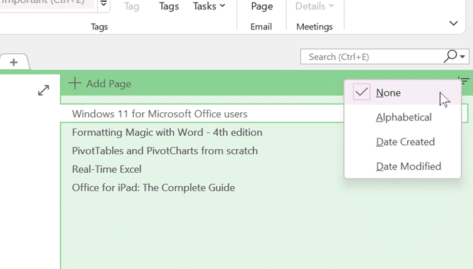
OneNote can now sort pages!
At long last, OneNote can sort the pages (tabs) either alphabetically or by date. Previously in OneNote, if you wanted to sort out your pages, had to do it manually by dragging and dropping the tabs. Microsoft has now added an automatic Sort Pages option. Right-click on a page tab to see the sort options. […]
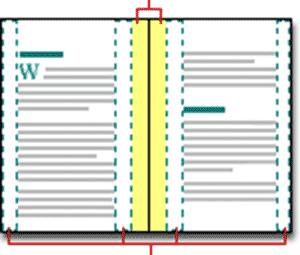
Align Page vs Align Margin in Word
What’s the difference between aligning to a page and align margin in Word documents? Quite often, there’s no practical difference between ‘Align Page’ and ‘Align Margin’ in Word. These options appear when positioning an object on a page and other places. Centering an object has to be done compared to some defined ‘edge’ of a […]

Set Picture as Background in OneNote
Set Picture as Background in OneNote is a handy feature for those looking to fill in forms or wish to draw and highlight on top of images pasted into their OneNote page. Generally, the page can shift, and your notes can become a complete mess when inserting images, so it’s definitely a useful feature that […]

Excel’s Find All tricks for Windows and Mac
Excel’s Find All lets you locate all cells matching a search criterion in a single step. It will generate a list of all cells that match the current search and report them all at the bottom, for both Windows and Mac releases of Excel. Find All has been in Windows version of Excel for many […]

Side-by-Side Translation in Word
How to show original text and a translation side by side in Word. The recent versions of Word have had an in-built translation feature that, like so many things in Microsoft Office, doesn’t quite go far enough. The basics are simple enough. On the Review tab there’s a Translate button. Click on that to translate […]
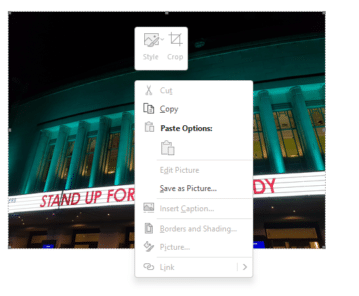
How to copy a picture from an Outlook email
Like an image in an Microsoft Outlook email? Here’s how to save it to a separate picture file. Sometimes you get an email with a nice picture displayed in the message (as opposed to an attachment). You can ‘grab’ any image and save it to your computer. On most web pages you can simply right-mouse […]









