Microsoft 365 – the subscription / annual fee plan for Microsoft Office on Windows, Mac, iPhone, iPad and Android.
Includes Word 365, Excel 365, PowerPoint 365, Outlook 365 and many other ‘365’ programs, apps and services.

Set Picture as Background in OneNote
Set Picture as Background in OneNote is a handy feature for those looking to fill in forms or wish to draw and highlight on top of images pasted into their OneNote page. Generally, the page can shift, and your notes can become a complete mess when inserting images, so it’s definitely a useful feature that […]

How to add textbox to video on Clipchamp
Sometimes you might be making a video but need to add text to it, luckily video editors, like Clipchamp, make this super easy to do so yourself, in no time at all. For example, you might want to add just some text, titles, or subtitles, or even captions to your video. ClipChamp is an online […]

Excel’s Find All tricks for Windows and Mac
Excel’s Find All lets you locate all cells matching a search criterion in a single step. It will generate a list of all cells that match the current search and report them all at the bottom, for both Windows and Mac releases of Excel. Find All has been in Windows version of Excel for many […]

Side-by-Side Translation in Word
How to show original text and a translation side by side in Word. The recent versions of Word have had an in-built translation feature that, like so many things in Microsoft Office, doesn’t quite go far enough. The basics are simple enough. On the Review tab there’s a Translate button. Click on that to translate […]
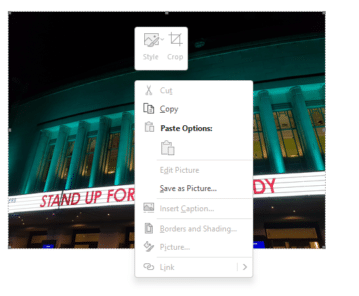
How to copy a picture from an Outlook email
Like an image in an Microsoft Outlook email? Here’s how to save it to a separate picture file. Sometimes you get an email with a nice picture displayed in the message (as opposed to an attachment). You can ‘grab’ any image and save it to your computer. On most web pages you can simply right-mouse […]

Changing Text Box backgrounds in Office
There are two ways to make a text box transparent in Office; Word, Excel or PowerPoint. There’s a quick option and other that gives you some more control. The Word, Excel or PowerPoint ‘Text Box’ feature is presented as a way to have ‘pull quotes’ or sidebar text in your documents however it can do […]

Microsoft 365 Family or Personal limit for tablets/smartphones
With an Microsoft 365 plan, Family or Personal, how many tablet and smartphone devices can you install Office Mobile? The rules have changed over time, so confusion is understandable. Some emails to our Feedback page plus people we’ve met shows some confusion about how many tablets/smartphones you can load up with Office Mobile apps for […]
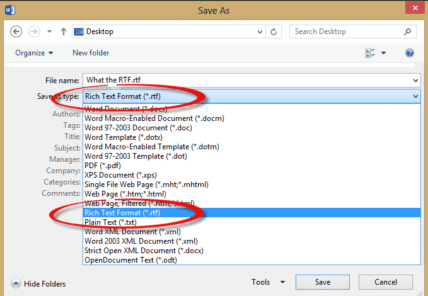
What the RTF? Using RTF docs in Word
What is an RTF document, is it safe, how to use in Microsoft Word and why is it still being used? “I’m looking for a job and many employers are asking for my resume in RTF format. How do I do that and why can’t I just use a Word document?” Ian G. RTF (Rich Text […]

Excel 365 gets web links in Comments
Excel 365 is finally getting clickable hyperlinks in comments and replies, catching up with Word 365 and PowerPoint 365 It’s been a curiosity that modern revamped Comments could not cope with something so old-fashioned as a web link. Even in the current public Excel 365, typing a link in a comment stays in plain text […]

How to update Teams software for Windows, Mac and beyond
Teams software isn’t updated like other Microsoft Office software, here’s how to make sure your Teams is the latest version on Windows, Mac, iPhone, iPad and Android devices. Microsoft is putting a lot of effort into Teams with seemingly never-ending changes and updates. That’s mostly good for users and also a sign that Microsoft hasn’t […]

Add the Year of the Tiger into Word, PowerPoint and Office
2022 is the Chinese year of the Tiger. Here are some tiger images, emoji and graphics in Word, PowerPoint and Office apps. Drop any of these into your documents or slides for a little New Years fun. See our related article Make your Chinese New Year graphics pop with these Office tricks to change these […]

Make your Chinese New Year graphics pop with these Office tricks
There are simple and traditional color choices for Chinese New Year graphics and text plus some Microsoft Office graphics tricks to make them look a lot better in Word and PowerPoint. Simple design done in a few moments with just the icons and tools in Word 365 or PowerPoint 365. Looking for 2022 New Year […]

Identical To ≡ symbol in Word, Excel, PowerPoint and Outlook
Insert the Identical To ≡ into Microsoft Word, Excel, PowerPoint or Outlook. Both in Office for Windows and Office for Mac. Identical To ≡ symbol, also known as the triple bar, is a mathematical symbol. The three lined symbol means that something is identical or like another value, but this does not mean that is […]
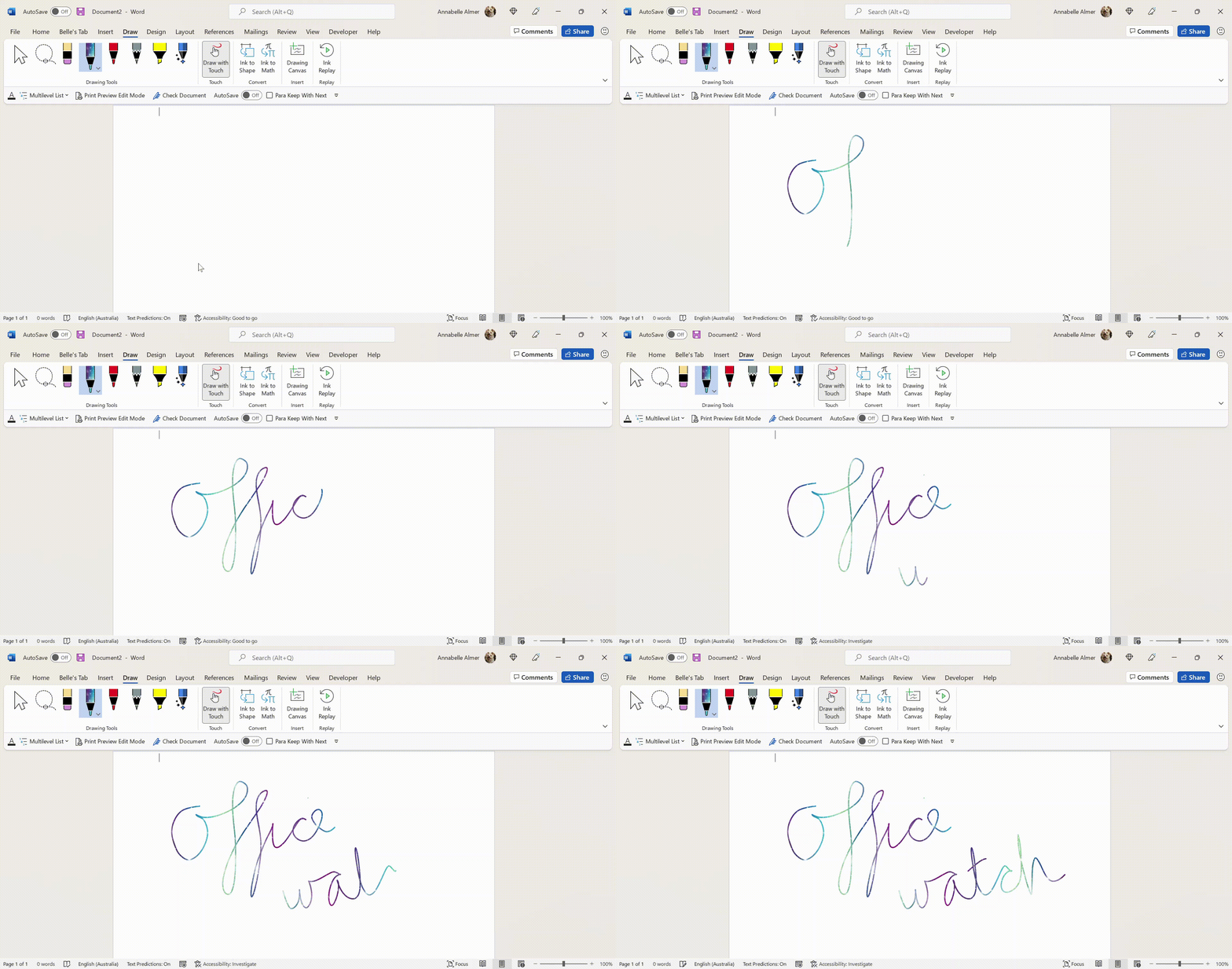
Add the missing Draw with Touch option to Office
Here’s how to force the ‘Draw with Touch’ button to appear in Word, Excel and PowerPoint when it doesn’t show up automatically. ‘Draw with Touch’ is an Office option to let you draw with a finger or stylus on a touchscreen. It should automatically appear on the right of the Draw tab with a touch-enabled […]

Fast Fill Sequential lists or rows in Excel
There’s a fast way to Fill cells with sequential data into a list or rows without dragging the mouse. The Series command can insert all sorts of lists for dates, weekdays and numbers. It’s very handy for users that need to fill a large number of cells. Those that use the fill command within the […]

Four great Excel Cell Styles that will light your way
Excel provides some handy pre-selected styles that you can apply to your cells. Here’s a selection of styles that we use, improve from Microsoft’s bland defaults and will light up your worksheets. These are excellent for distinguishing headers from data, classifying data, or showing the function of each cell (calculations, output, notes, etc.) Cell Styles […]