All about Microsoft Office Word, Excel, PowerPoint and Outlook, Microsoft 365, Office 2021 and earlier versions.
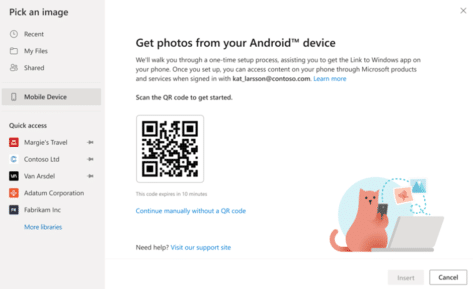
Grab photos from Android direct to Word or PowerPoint
A new way to insert a picture directly from an Android device into a Word document or PowerPoint slide on a Windows or Mac computer. Plus alternatives you can use now and might be more reliable. How it’s (supposed) to work In the online (browser) versions of Word and PowerPoint, Microsoft is gradually rolling out […]

How to fix #BLOCKED! errors in Excel
What to do if you see a #BLOCKED cell error message in Microsoft Excel. The fix is simple, if you can get past Microsoft’s unhelpful, er, ‘help’. Open uṗ a workbook and see #BLOCKED in some cells. The message ‘Check privacy settings’ is typical Microsoft message. It’s strictly correct but not very helpful. There are […]

Better searching at Office-Watch.com
There are now over 5,000 articles at Office-Watch.com from over twenty years of keeping a close eye on Microsoft Office. Now it’s easier to find what you need. We’re delighted to say that we’ve improved the search / find features at Office-Watch.com (all these improvements are possible thanks to WordPress Wizard Michael Oglesby ) Gone […]

Set your own Shape default settings in Microsoft Office
You’re not stuck with the Microsoft automatic settings when inserting a new shape. Change the defaults to whatever you like for faster shape formatting in Office; Word, Excel, PowerPoint or Outlook. When you Insert | Shape, something like this probably appears. Blue fill, 1pt black single line outline, no effects and Text Wrapping in front […]

Bypass Office Backstage and get to ‘real’ Open or Save dialogs
If you don’t like the large Office Backstage pane, the older and more powerful Open and Save dialog boxes are still available via shortcuts or changing a Microsoft Office setting. Microsoft has spent a lot of time and effort changing the Word, Excel and PowerPoint File panes to add more features and unsubtle hints to […]

Viva Magenta! Pantone’s 2023 color in Word, Excel and PowerPoint
Pantone has announced their “Color of the Year” for 2023 is “Viva Magenta” and, as usual, we’ll explain how to use that exact color in Word, Excel, PowerPoint and Outlook. And we’ll look at the purple prose that’s become a hallmark of Pantone’s annual promotion. The color of 2023 is … Viva Magenta As usual […]

Which Microsoft 365 plan have you purchased or using?
How to tell which Microsoft 365 plan (Personal, Family/Home, University etc.) you’ve bought and the expiry date. Or maybe you’re sharing a Microsoft 365 Family/Home plan. The Microsoft 365 plan, status and expiry doesn’t appear in the Office software (that would be too easy). See: Microsoft 365 which email address am I using? Instead, go to […]
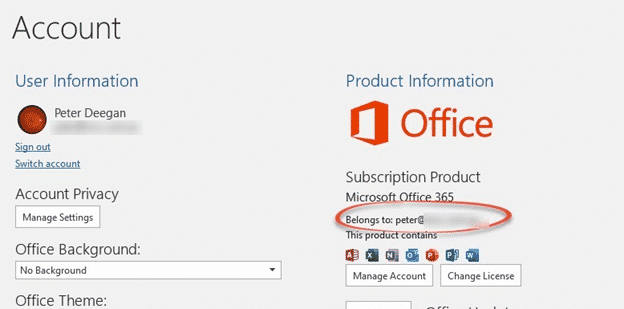
Microsoft 365 which email address am I using?
Each Microsoft 365 (aka Office 365) account is linked to a specific email address, how can you find out which address you’re using for your Microsoft 365 login? This might seem like a strange question but we hear it quite often. Most of us have multiple email addresses and it’s easy to get confused about […]

Does an Office licence work for two users on a computer?
Microsoft Office rules might let two users or more use the same copy of Office on a computer. It depends on which type of Office you have on a Windows or Mac computer. Office can work for multiple separate users on the one computer. Most commonly, there are separate Windows or Mac logins for the […]

Outlook Profiles, important, useful but little known
Outlook profiles is one of the most important but least known parts of the program. Profiles can be very useful, sometimes essential to getting Microsoft Outlook working. An Outlook profile is a group of settings for connecting to the email server, and where to store the emails and other data. A profile is created when […]

Renaming an Outlook Profile
Outlook for Windows doesn’t have a direct way to rename an Outlook Profile but it’s still possible. Outlook for Mac, on the other hand, can rename a profile from the Manage Profiles list. Properly label a Profile instead of using the one or two word names Microsoft defaults to. This is a Windows registry change […]
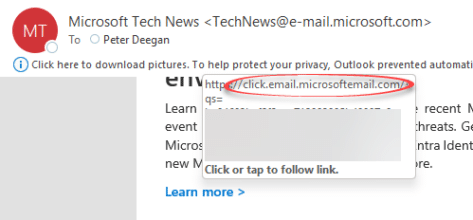
Make sure an email link is real not phishing, why does Microsoft makes it easier for criminals?
There’s a simple trick to ensure that an email is real, not a phishing trick to get your personal information. But Microsoft makes it easy for phishing attacks to pretend that are the real thing.. Hover over a link in an Outlook email to see the real url that you’ll visit if you click. Look […]
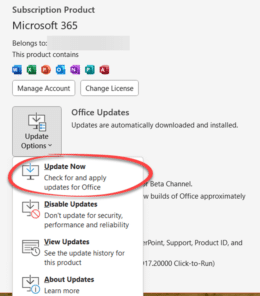
Having Microsoft Office problems? Try these tips first
If you’re having trouble with Office for Windows, try these tips first. They might fix the problem or help narrow down the cause. You’ll often get these suggestions from Microsoft Support or forums. They are things to try before asking for help with a Microsoft Office problem for two reasons: Support staff might make these […]

Fixing a broken Reuse Slides feature in PowerPoint
What to do if you get the “Sorry, something went wrong” error message trying to use PowerPoint’s Reuse Slides feature. This error message might appear if you’re trying to use PowerPoint’s Reuse Slides feature. It seems to happen only for non-business users (for example Microsoft 365 Family/Personal plans). The current error message is both non-specific […]

Reuse slides in PowerPoint, the good and the annoying
There’s a faster way to clone or reuse slides from existing PowerPoint presentations. Reuse Slides lets you pick a slide and copy it in a flash. Which sounds great unless you’re an unlucky person who hits a useless and unhelpful Microsoft error message. Reuse Slides is mostly promoted as a tool for organizations with shared […]

Make your Word document more readable
Word’s Readability check is a great extension to the familiar Microsoft Word Spelling & Grammar. Word can check the complexity of your writing and give you an idea of whether your text will be readable, meaning understood, by your target audience. We’ll show you how to see Word’s Readability Statistics, what they mean and how […]