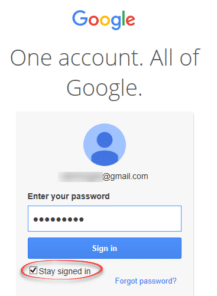
Connect Outlook with Google’s Gmail
Outlook for Windows can connect to Google’s Gmail here’s the simple setup available in Outlook 365 and 2019. It’s just the start of a longer process that Microsoft doesn’t openly explain to customers, starting with an important limitation. Free Gmail – no calendar or contacts Outlook for Windows only synchronizes Gmail email for Gmail free […]

Two new Microsoft Office bundles coming in 2021
Microsoft has announced two ‘perpetual licence’ or non-subscription versions of Office that will be released later in 2021. Both continue Microsoft’s unstated but bleedingly obvious attempts to push customers to annual ‘subscription’ payments. Here’s what Microsoft has disclosed so far with an explanation of the continued reduction of value for perpetual licence purchasers. To replace […]

‘Spy Pixels’ email epidemic, the good and the bad
‘Spy Pixels’ is the new name for a common tracking method used in commercial emails. We’ve written about them many times over the 20+ years of Office-Watch.com, the only new thing is the name. What are Spy Pixels? So called ‘Spy Pixels’ are tiny images (1 pixel only) linked in an email. They are invisible […]
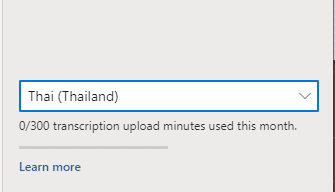
Seven new languages for Word & Outlook Dictation
Microsoft has announced seven extra languages added to their ‘speech to text’ Dictation feature in Outlook and Word. The new languages announced are: Hindi Russian Polish Portuguese (Portugal) Korean Thai Chinese (Taiwan) Your milage will vary As a cloud service, the available languages will vary. It depends on the version of Microsoft 365, where you […]
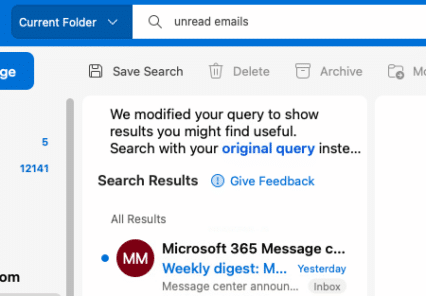
Inside new Natural Language Search for Outlook
Microsoft is hyping natural language searches in Outlook for Windows and Mac, so we dug down to see how it works and for whom. There’s a lot of ‘gotchas’ overlooked in the boasting. According to Microsoft, Outlook now has better searches: “With Natural Language in search, you simply type the way you would ask a […]
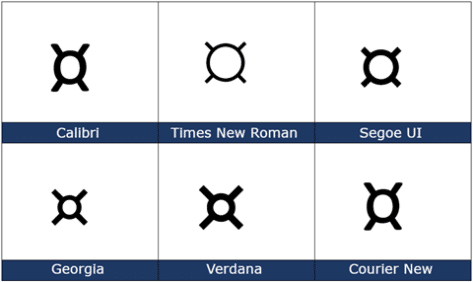
Currency ¤ Symbol in Word, Excel, PowerPoint and Outlook
How to insert the Currency ¤ or scarab symbol into Microsoft Word, Excel, PowerPoint or Outlook. Both in Office for Windows and Office for Mac. Currency ¤ symbol is used to denote an unspecified currency. It’s the generic sign you could use if the correct symbol isn’t available. It doesn’t seem to be used a […]
Apple Privacy tags don’t tell the whole story with Office
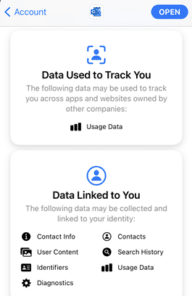
Apple’s new Privacy tags sound like a great idea but they rely on the honesty of app makers (Ha!) The simple labels can cover an enormous amount of privacy intrusion in Microsoft Office and Outlook mobile apps. The Washington Post is behind a paywall but the ‘general tenor of his spray’ is that each developer […]

Outlook.com / Hotmail mailbox size shock and how to fix it
Outlook.com / Hotmail users got a shock when told can’t send or receive email because their mailbox is way too big. What’s happening and what to do about it? Free Outlook.com accounts have a 15GB storage limit but some users have managed to go way over that quota without complaint from Microsoft. Until the last […]

Right Pointing Hand ☞ symbol in Word, Excel, PowerPoint and Outlook
How to insert the white right pointing hand ☞ into Microsoft Word, Excel, PowerPoint or Outlook. Both in Office for Windows and Office for Mac. Officially called “WHITE Right POINTING INDEX” ☞ symbol is a different or novelty form of the right arrow as a hand. It can be used in standard text or a […]

Easy file transfer from Outlook to Teams
It’s been a slow process, but now it’s possible to move a file from Outlook to Teams across both web clients and programs. Users have been asking Microsoft for years to be able to quickly copy an Outlook attachment to a Teams area. Customers had to save the attachment to a local drive then upload […]

Project Monarch or One Outlook to rule them all
You may have heard about ‘Project Monarch’, Microsoft’s plan for a single Outlook program for Windows, Mac and maybe other platforms. This is what we know so far about Microsoft’s ‘vision’ for ‘One Outlook’ Project Monarch is an early Progressive Web App (PWA) which will have email, contacts, calendar and perhaps other ‘Outlook-like’ features. In […]

Install the latest Outlook as a standalone web app
Here’s how to install Outlook as a standalone web app or PWA. This looks like Outlook in a browser but it’s not, it’s Outlook as a standalone Progressive Web App (PWA). It’s available now in Windows 10. It’s not the upcoming Project Monarch but a part-way step in that direction. See Make Microsoft Office a Progressive […]

Special tricks to add iCloud accounts into Outlook 365 for Mac
iCloud accounts can now be added to the new look Outlook 365 for Mac but there are limitations and it’s harder than Microsoft’s ‘help’ says. Outlook for Mac has always been able to link with iCloud using IMAP. Now Outlook 365 for Mac with the new interface can automatically setup a synchronization with iCloud account. […]

Nice variations for Stop shape in Word, Excel & PowerPoint
There’s plenty of scope for variations on the basic Not Allowed symbol (red circle with diagonal) using the tools in Microsoft Office. See Make a ‘Stop’ circle / diagonal symbol in Word, Excel & PowerPoint for how to insert the basic ‘Not Allowed’ shape and change to suit your needs. Line Direction The line across […]
Office Watch most popular articles of 2020
Well, that’s been an ‘interesting’ year for all of us <sigh> . Here’s some of the articles that have been popular with our worldwide audience over 2020. Getting more from online video calls With the global lockdown, Office Watch switched roles for a while and added lots of advice for online video calls. We’ve been […]

Editor look & feel changes coming in Word and Outlook
Microsoft has announced some changes to the Editor feature in Word and Outlook to improve access to spell-check and grammar tools. Look for these changes in upcoming releases of Word and Outlook for Windows and later for Mac. Many reports on these changes say that the Editor is a ‘new grammar checker’ in Word 365, […]









