Microsoft 365 – the subscription / annual fee plan for Microsoft Office on Windows, Mac, iPhone, iPad and Android.
Includes Word 365, Excel 365, PowerPoint 365, Outlook 365 and many other ‘365’ programs, apps and services.
Useful tricks hide in the new look Office.com
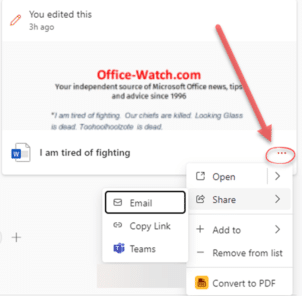
The main Office.com page has an updated look for Business and Enterprise customers. There’s a Create pane, My Content section and Quick Access buttons plus some more useful features hiding away under obscure buttons that are easy to overlook. This is the overall Home https://office.com look if you’re logged into a non-consumer Microsoft account. Choose […]

Using Text Boundaries view in Word – how and why
How to view Text Boundaries in Microsoft Word, why they can be useful and how the feature has changed over time. Text Boundaries put a dotted line box around each text element on a Word page. Turn on Text Boundaries to solve formatting problems. For example, in the above example, it’s easy to see why […]

Show Crop Marks each page in Word
How to show the four corner Crop or Trim marks on a Microsoft Word page. The ‘L’ shapes are a guide to the useable part of the page, inside the margins, and appear in all four corners. The four marks are called Crop Marks also known as Trim Marks. Word Crop Marks in Page View, […]
How Word warns you (or not) about rude, offensive words
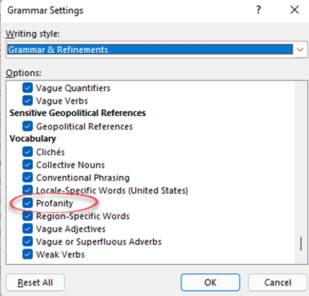
Microsoft Word has a ‘profanity’ check to warn you about rude, offensive or swear words in some places. In others, the same word won’t get any special marking. We’ll explain how to setup and use Microsoft Word’s Profanity check then show its limitations and traps. The Profanity, offensive or swear word test is in Microsoft […]

Add a link to a PDF or other file into a Word document
Inserting a link to a PDF (or any other file) into a Word document or email is easy to do. All you need is the web or other link to the PDF and paste that link into your document or email. The key question to ask is ‘Where is the PDF located or saved to?’. […]
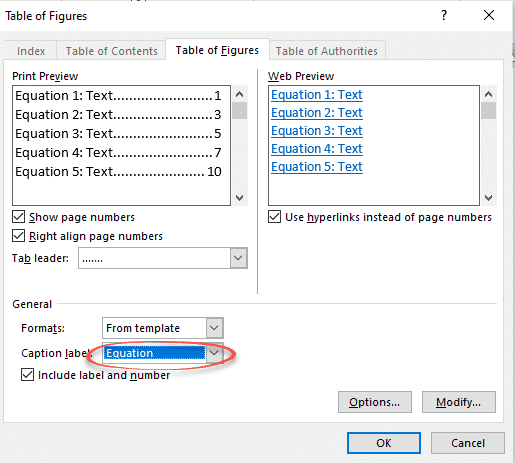
Table of Equations in Word made simple
If you have included equations in a document, Word can generate a list of them all for you. Like a table of contents, this list or Table of Equations can include page references or links to each equation. A Table of Equations can be useful for creating a proper appendix or reference within more formal […]
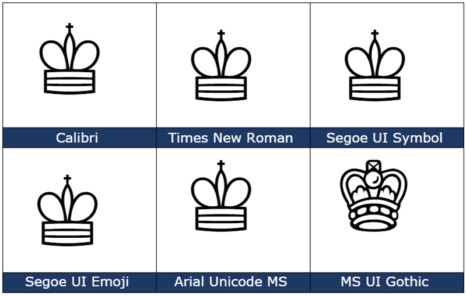
White Chess King ♔ symbol in Word, Excel, PowerPoint and Outlook
Type the White or outline Chess King ♔ into Microsoft Word, Excel, PowerPoint or Outlook. Both in Office for Windows and Office for Mac. White Chess King ♔ symbol is useful for users that want to represent the chess piece as a symbol, rather than an image. There’s also a Black Chess King ♚ symbol […]

All the ☟ Down pointing hand symbols in Word and Office
Word and Office have several down “pointing hand” symbols available in some fonts. Here’s the Unicode options explained and shown with the codes and shortcuts to type them in Excel, PowerPoint and Outlook too. There are various pointing hand options in Unicode: Index – a pointing index finger with palm facing. Backhand Index – pointing […]

Four ways to split date into day month year in Excel
If you’ve ever needed to split dates in Excel into separate day, month, and year, there are several options to choose from. Excel has different functions, Text to Columns or Flash Fill which can do the job. Here’s a quick guide on several methods: Using the DAY, MONTH and YEAR functions Using Text to Columns […]
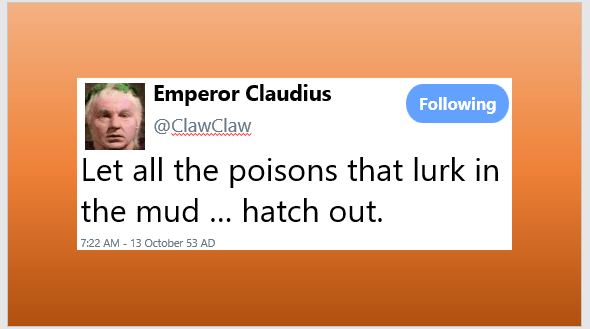
Make your Twitter ‘message’ in Word or Powerpoint
With a little Office formatting trickery, you can make a Twitter ‘message’ that looks like what you see on the Twitter web site or app to put in a Word document or PowerPoint slide. Use this trick to recreate a real Tweet that’s part of a document. Or as a fake or joke tweet as […]
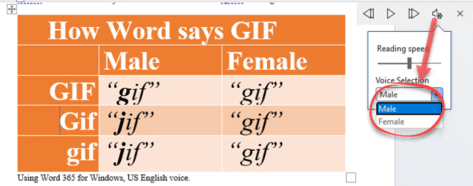
Why does Word pronounce GIF two different ways?
There are disagreements about how to pronounce the acronym ‘GIF’ for the popular image format, even though there’s an authoritative answer. Even Microsoft Word is confused about how to say GIF with the Read Aloud feature. Stephen E. Wilhite, the developer of the Graphics Interchange Format or GIF passed away earlier this month. Obituary . […]
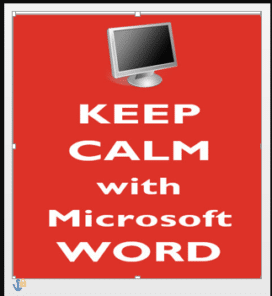
Add a background image to a page in Word
Add a background image to any page in a Word document instead of a solid color or pattern. Using a picture as the background for Word page isn’t as straight forward because the official or approved method doesn’t work very well. We’ll show you other Word features that work better (or at all). Most of […]

Eye of Horus 𓂀 symbol in Word, Excel, PowerPoint, and Outlook
Insert the Eye of Horus 𓂀 into Microsoft Word, Excel, PowerPoint or Outlook. Both in Office for Windows and Office for Mac. Eye of Horus 𓂀 is an Egyptian Hieroglyph symbolizing protection. According to Egyptian myth, Horus lost his left eye during his struggle with Seth, and it was restored by Hathor, symbolizing the process […]

Jazz up and animate photos in PowerPoint
Using simple animations in PowerPoint presentations is relatively easy, but you can also take them to the next level, to jazz up your photos in PowerPoint. Using this method might take a few more steps than just creating a straightforward animation, but the result is well worth it … In short We’ll explain how to […]

Find and cite with Researcher in Word
The Researcher button on Word’s References tab lets you lookup information online and copy into a document with formatted but optional citation. It’s likely to dismay many teachers and lecturers. Researcher is a cloud service, only available in Word 365 for Windows and Mac. The Researcher pane is really a specialized Bing web search that […]
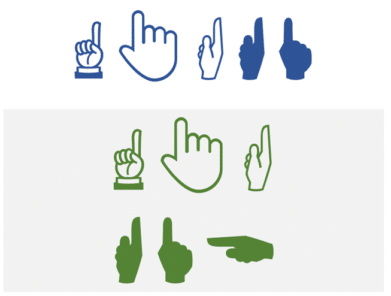
All the ☝Up pointing hands in Word and Office
Word and Office have several up “pointing hand” symbols available in some fonts. Here’s the Unicode options explained and shown with the codes and shortcuts to type them in Excel, PowerPoint and Outlook too. There are various Up pointing hand options in Unicode: Index – a pointing index finger with palm facing. Backhand Index – […]