
Just hovering over a PowerPoint link can infect your computer!
A new way to infect your computer, via PowerPoint and simply hovering your mouse over a web link. It’s a malicious PowerShell script inside a PowerPoint file. Either a .PPSX (Microsoft PowerPoint Open XML Slide Show) or .PPS (PowerPoint Show ) file. When the PPSX/PPS file is opened, Office will switch to Protected View to protect […]
Why ‘Office in the Windows Store’ isn’t really Microsoft Office
It’s expected that today (15 June 2017), Microsoft will release ‘Office in the Windows Store’ as a new way to buy Office. Understand the differences between it and ‘Office 2016 for Windows’ or the Windows 10 / Modern apps for Word, Excel, PowerPoint and OneNote. The new release is not just a different way to […]

Secret printer tracking dots
Most color printers have a secret tracking or forensic code added to every page that lets governments and others know when and where the page was printed. It’s just one result of last week’s NSA leak and later arrest. One piece of evidence against Reality Winner was the secret code on the pages she allegedly […]

Office won’t start ‘This app can’t run on your PC’ – Fix
This is a really screwy error message. You try to start an Office desktop program and are stopped with the message ‘This app can’t run on your PC’. Here’s the fix. To make it even stranger, some Office programs will work while others say they can’t run? We’ve seen the very latest version of Outlook […]

What? Office Fast Ring catches up with Slow Ring
The latest ‘Fast Ring’ Insiders update to Office for Windows restores the correct versioning between the Fast and Slow Ring ‘Insiders’ releases. Normally, the latest changes and new features appear in the Fast Ring release. After the bugs have been discovered by the fearless Fast Ring testers, an update goes out to the ‘Slow Ring’. […]

How to STOP a specific document from being searched / indexed?
Windows will automatically index and let you search Office documents on your computer or network – how can you stop that happening? Maybe the document is personal or so private you don’t want anyone to find it with a Windows Search. Or discover that the document even exists! Password Protection The most direct way to […]

The death of MP3, rise of MP4 and Microsoft PowerPoint
Shrill headlines talking about the ‘death’ of MP3. Here’s how Microsoft Office is affected (hint: not a bit but you might start moving away from MP3 to the better MP4). Audio and video support mostly applies to PowerPoint. Microsoft Office supports a range of different audio formats including MP3 but also other and far better […]
Ransomware and WannaCrypt special
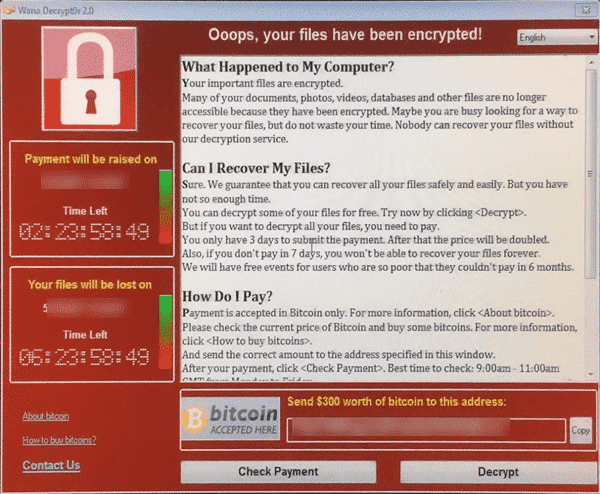
Everyone is talking about ransomware now that the WannaCrypt has spread like crazy across the world. These nasty viruses target your documents and precious files including Microsoft Office files and Windows backups. This is a little embarrassing for us because Office-Watch.com has just released a new book that’s suddenly become very topical. Everyday BACKUPS – […]
Amazing security bug in Windows Defender
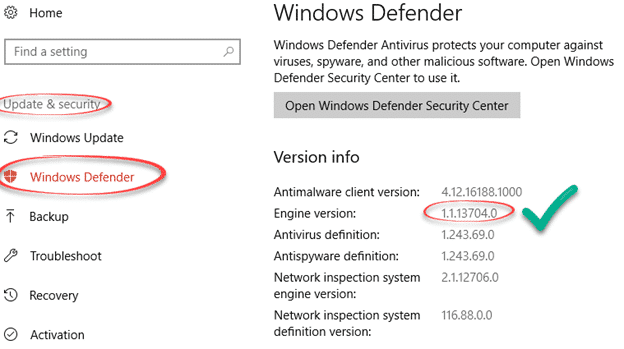
Microsoft has moved quickly to block a security hole in their own anti-virus software, Windows Defender. We’re used to seeing email or instant messaging used to infect a computer when opening a document in Word or Excel, maybe an email in Outlook. But this is quite different and very worrying. The bug is in Microsoft’s […]

Windows 10S and your Microsoft Office choices
Coming soon is a new version of Windows, the Windows 10S. What does it mean for Microsoft Office users? The 10S is a stripped down and limited version of Windows 10. Some advanced features aren’t available while others are set to Microsoft’s preferences automatically. To buy 10S is cheaper than the Home or Pro editions, […]
How to install fonts into Microsoft Office
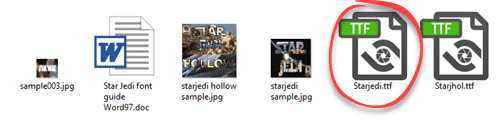
Adding fonts into Microsoft Office is easy but the standard advice doesn’t always work. We’ll show you how to install a font and avoid the trap. Font installation has nothing to do with Word, Excel or PowerPoint. It’s all done in Windows. Firstly, download the new fonts. There are many fonts, free and paid around […]
Dubai font, free for everyone
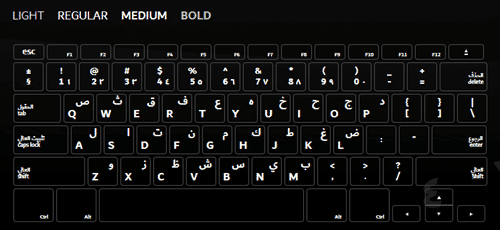
Last week, Microsoft released the Dubai font to their Office 365 customers only. Now the city-state of Dubai has released it to everyone. Dubai is a new font which has both western and Arabic characters in the one package. It was created by the Dubai government with assistance from Microsoft. You have to hand it […]

Signal ‘gets’ Office documents and PDF – at last!
At last the cries of eager Signal supporters have been heard – the latest releases allow secure transfer of Office documents, PDF and more. Signal is a well-respected, very secure and private messaging system. The makers of Signal licence their open-source encryption to other messengers like Google, Facebook and WhatsApp. Even better, Signal deliberately retains […]

Dirham / Emirates currency symbol – entering into Word & Office
The Dubai font inspired us to look at the currency symbol for the United Arab Emirates – the Dirham. A quick guide for those of us who don’t know any Arabic! There’s no direct symbol for the Dirham – unlike the dollar, Euro or Yen/Yuan. The usual prefix is DH or Dhs , just plain […]

About the new Dubai font for Office
Hyped as the first city to get its own font, Dubai and Microsoft have released the Dubai font. Office-Watch.com looks beyond the press releases for the details on the new font and Dubai font alternatives. Dubai is a sans-serif OpenType font available for Windows and Mac. It’s not a full-range Unicode font but enough for […]

Dubai Font alternatives
If you can’t get the new Dubai font, there are many alternative fonts. The closest match we could find was FF Fago by Ole Schäfer. Among the fonts supplied with Windows/Office, the most similar is Lucida Sans. It’s on the drop-down list of fonts in Windows and Mac. Here’s Lucida Sans on the Office for […]









