Office 2021 is the personal and small business ‘perpetual licence’, non-subscription version of Microsoft Office. For Windows and Mac.
Office LTSC (Long Term Servicing Channel) is the volume licence ‘perpetual licence’, non-subscription version of Microsoft Office for organizations, companies and governments. Also for Windows and Mac.
The features in Office 2021 and Office LTSC are very similar, if not the same.
Happy Star Wars Day – with Microsoft Office
Office-Watch.com has Star Wars Day covered with a series of articles which add the spirit of the Rebel Alliance or the Empire to your Microsoft Office documents, workbooks and slides. Star Wars Day is 4th May each year … “May the fourth be with you” geddit? Star Wars fonts Star Wars look in Word and […]

How to save an Outlook attachment without knowing it
At an important UK inquiry, a lawyer claims that he didn’t know how to save an email attachment. The evidence suggests that he might be telling the truth about that minor detail. We explain how Outlook prints an email attachment. This is a small part of the inquiry into the British Post Office Scandal were […]

PowerPoint trim video reaches the web
The long-standing Trim Video feature in PowerPoint desktop has now reached the browser based version as well as in the desktop Windows and Mac versions. If you’ve ever used Trim Video in either PowerPoint for Windows or Mac, this ‘new’ feature will be familiar in PowerPoint on the web. Any video saved with the presentation […]
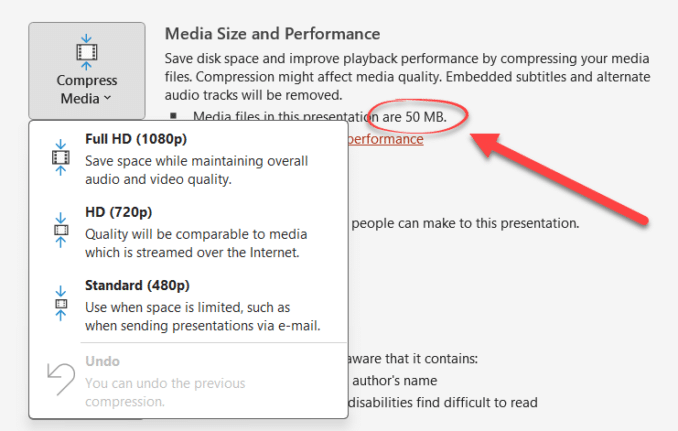
PowerPoint video audio compression tricks and traps
PowerPoint offers compression embedded video and audio files, reducing the overall file size. But these options aren’t where you might expect to find them, aren’t selective and need to be used with care. There is compression option for media files (video or audio) to a suitable quality level and make it compact. This feature will […]
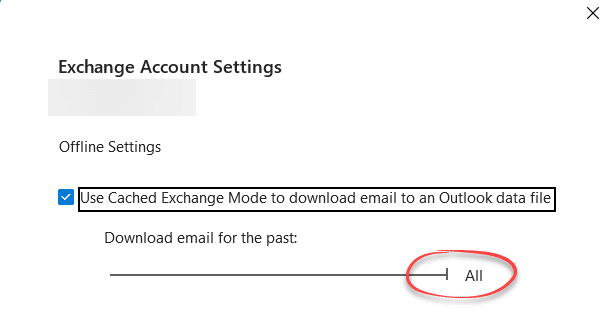
The Outlook setting everyone should check
After setting up Outlook for Windows (classic) maybe your older messages aren’t showing up quickly? That might be because of a hidden default set to suit Microsoft which should be changed to benefit you. For most mailboxes (Outlook.com, Exchange Server etc) Outlook for Windows (classic) can synchronize a copy of some or all your messages, […]
Eye 👁 emoji in Word, Excel, PowerPoint and Outlook
How to insert the Eye 👁 emoji into Microsoft Word, Excel, PowerPoint or Outlook. Both in Office for Windows and Office for Mac. Eye 👁 symbol is used for decoration “Look Here” or “See this”. Even as a fancy bullet point in Word or PowerPoint. How Eye 👁 looks in different fonts. Two Windows fonts […]
Better Bullets in Word with SVG Icons
Get better and more creative bullet lists in Word using an Icon or SVG graphic in Word or PowerPoint, you just have to be a little sneaky. Icons (Microsoft’s name for SVG graphics) would seem to be ideal for creative bullets. SVG’s can be resized, colored and adjusted without loss of quality. They are available […]
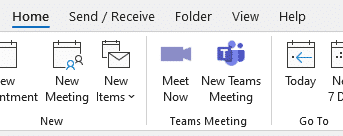
Get rid of Teams buttons from your Office ribbon
Teams button creep into Office and Outlook ribbons because Microsoft tries to promote itself. Here’s how to get rid of it or any other Office buttons you don’t want. Teams icons prominently appear on Office ribbons, like this one on the Outlook Calendar ribbon. or this with Meet Now video conferencing included as well. Or […]
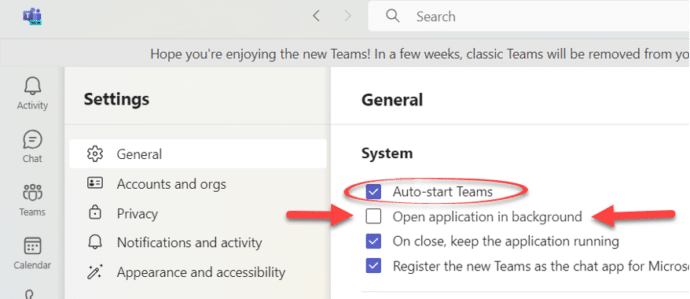
Stop Teams opening at startup Windows or Mac
How to stop Microsoft Teams opening automatically when the computer starts – Windows or Mac. Microsoft wants to push their Teams software to as many people as possible. Part of that is making Teams (free or paid) really obvious or intrusive, depending on your point of view. Teams doesn’t take up a lot of resources […]
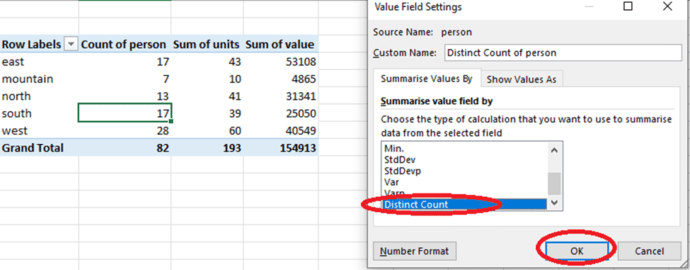
How to count unique items in an Excel PivotTable
Excel PivotTable can show a count of unique items if you know where to look. Handy to see the number of customers, products or students from a long data list. What is the count of unique customers who made purchases in each region? How many unique products were sold in each store? How many different […]
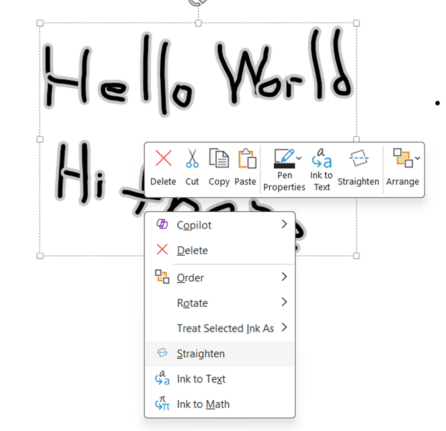
Straighten handwriting in OneNote
OneNote for Windows can straighten handwritten, digital ink, text so it’s nicely even across the screen. We tested Straighten to see how it really works … and it’s not bad. Microsoft doesn’t provide a working example of straighten just a mockup with grey lines and nothing like the real OneNote interface. So we made our […]

Microsoft Office font spacing mystery and how to fix
A strange case of letter spacing with a Microsoft font showing differences between Word and PowerPoint. Here’s the anomaly with three possible fixes for it and similar situations. Office Watcher Paul B noticed this peculiar spacing between a fullstop/period and digit 1 with the Tenorite font. In PowerPoint, the two characters are very close together […]
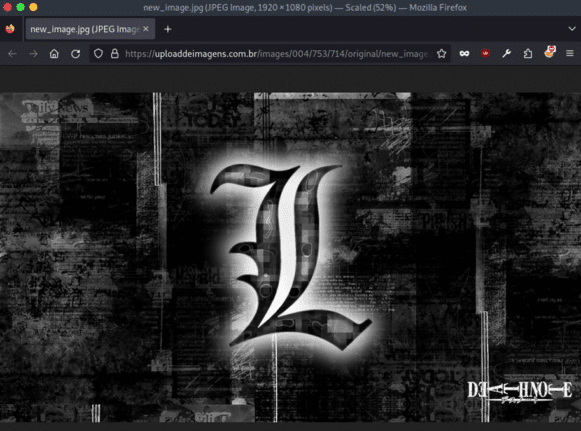
Steganography used to hide Word and Excel attack
Computers are being infected with at least eight different viruses in an attack that uses steganography to hide nasty code in images linked from Word and Excel documents. But there’s good news for most Office users. Steganography is a way to hide text or code in an image or object. It’s a trick that’s been […]
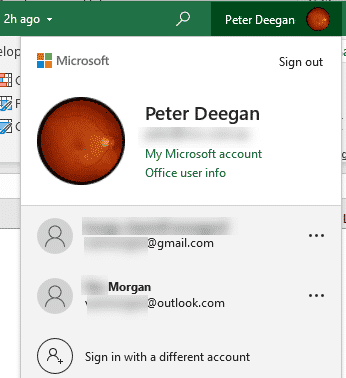
Microsoft 365 instant account switching
Quickly switch accounts while using Microsoft Office 365, Office 2019 and Office 2021 for Windows and even have different logins in separate programs. Many people wear different ‘hats’ while using Office. There’s a Work ‘hat’ or ‘hats’ with more than one job. Plus your personal or home role. Sometimes even more hats/roles like a volunteer […]

Faster Office File management on the fly
The File Open and Save dialog boxes in Office have many not-obvious features which let you do a lot of file management and housekeeping on the spot. You try to save a document and realize you need a new sub-folder. Or open a document and want to move it to a different folder. Or just […]
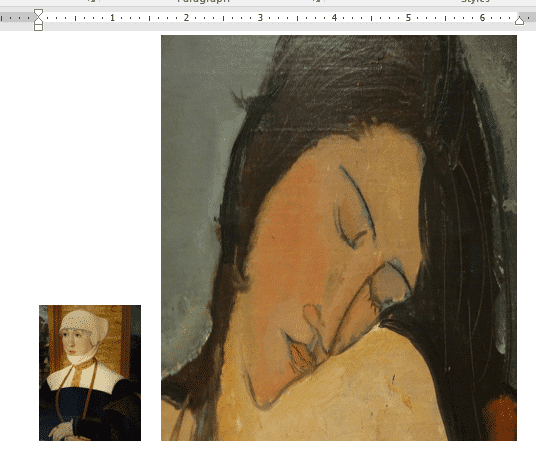
Smaller images make smaller documents in Word and Office
Pictures in Word, Excel, PowerPoint and Outlook can make the file sizes at lot larger than you expect. Here’s how to make images smaller (in file size) for Office documents without changing the look of the document, slide etc. The images in a document are what take up a lot of space in most documents. […]









