There’s a major gap between Meet Now in Teams and Skype which means you’ll want to keep both. Also two other features in Skype but not Meet Now plus another reason that Microsoft doesn’t like talking about. Meet Now is Microsoft’s newer computer-to-computer calling and virtual conferencing service. It’s linked
Outlook 365 for Windows has a Meet Now button on the calendar views, why not elsewhere? Meet Now is Microsoft’s calling & meeting service. It’s officially part of Teams but is getting a life of its own for computer-to-computer calling and online meetings by individuals. It has features like screen
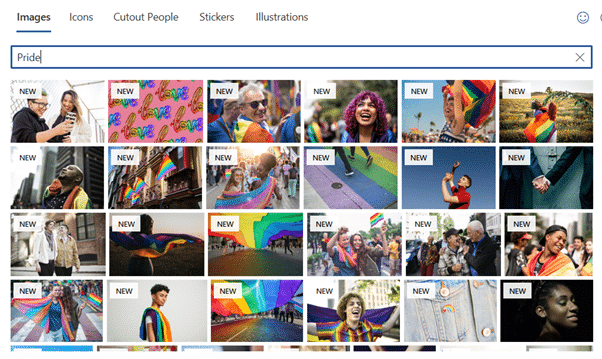
Microsoft has added more stock images to Office 365 apps to help people celebrate Mental Health month (May). Also some extra app themes and pictures for Pride Month (June). Mental Health images May was Mental Health Awareness Month so Microsoft added some appropriate Stock Images for documents and slides. They
A little known but useful Teams feature is synchronizing Teams files folders to your Windows or Mac computer. Files are available quickly, more easily and offline via Explorer or Finder. But there’s a trick to getting it working. The official way to access documents and files in Teams is via
Microsoft has announced their plans for later this year with additions to Teams, Whiteboard and an expansion of their Fluid components concept. None of these things are available now. It’s all future promises, nothing substantial customers can use today. Let’s strip away all the hype about ‘hybrid’ workplaces that are
Microsoft has a series of demo pages that go ‘step by step’ through the main features in Teams. Teams Basics https://Teamsdemo.office.com is the demo to start with. It explains the main elements of Teams including channels, members, posts etc. All the demos are focused on Teams not Teams Free but
Microsoft regularly promotes new or updated features in Teams, but there’s no sign of them for many people – there’s two different reasons. Teams features might not be available because it’s a free account (‘Teams Free’) or the user has Guest access to a paid Teams channel. All Microsoft announcements
It’s possible to have multiple logins for one person with Microsoft Teams, here’s how and what to do when it all gets too confusing. Teams is becoming so popular that many organizations, groups and even families use it (see Teams for Home). That means you’ll need several different logins for
Microsoft is expanding the reach of their Teams service with more personal and family related features available at no charge. Teams for Home is a repurposing existing Teams business features so they can bring together families and friends. All these features are free (there are some call limits). There are
Microsoft is updating their Services Agreement, the rules we call agree to live with when using Microsoft’s many services. We found a few interesting things in the changes. The Summary of Changes to the Microsoft Services Agreement is mercifully short. Compared to full agreement of over 15,000 words which is
PowerPoint for Windows is getting a ‘Present in Teams’ button to drop your presentation into a Teams call or meeting. PowerPoint Live in Teams sounds great, but there are very specific requirements to make it work. Fire up the Teams desktop app and make sure it’s up to date. Open
Another bad week for Microsoft’s customers who rely on the Microsoft 365 hosting and other cloud technologies. There were global outages for more than half a day in Teams, Azure, Xbox Live and many other Microsoft Cloud services. All should be restored by the time you read this but there
It’s been a slow process, but now it’s possible to move a file from Outlook to Teams across both web clients and programs. Users have been asking Microsoft for years to be able to quickly copy an Outlook attachment to a Teams area. Customers had to save the attachment to
If you like to jazz up your Zoom, Teams or other presentations, try out mmhmm . It looks like an interesting tool you might like to try out over the break. mmhmm lets you create an online presentation for live broadcast or recording with many effects combined. Here’s an example
Commercial users of Microsoft Teams can now quickly switch to a personal account without shutting down the app or browser window. Personal Teams can keep in contact any group of people, family, extended family, school friends, study group, class, sports team or club. See Teams gets personal for families and
Microsoft has released some ‘sweater’ backgrounds for Christmas, Hannukah or anytime of year. The PNG images are intended as backgrounds for Teams calls but can be used anywhere. A PowerPoint slide, Word background, Zoom call background or whatever. Adding Virtual Background or blurred video to TeamsAdd your own background image
Microsoft Teams users are getting similar ‘Insider’ or ‘Beta’ options to trial new and changed features. It’s setup similar to the existing ‘Insider’ options for Windows and Office. The naming of Insider levels is similar, but not the same as for Office. Public Preview Channel – the last step before
The Microsoft 365 Productivity Score has been raising concerns about staff privacy and intrusion into their ‘Work from Home’ life. We’ll look at what Productivity Score actually does, how it’s changed after public pressure and why administrators might prefer to be intrusive. Productivity Score applies to Microsoft 365 hosted organizations.
Joining a Zoom or Teams call isn’t as simple as turning on your computer and looking at the camera. Preparation is necessary to make sure you look and sound good and are polite to the other callers. Simple keyboard shortcuts to mute/unmute or ‘Push to Talk’. And we have sage
There’s been another breakdown in Microsoft’s crucial online services – the third in only ten days. The trouble started on Thursday 7th October about 2:45pm US East Coast time (18:45 UTC). Users could not login to Microsoft cloud services. According to Microsoft, the outage affected “Microsoft Teams, Outlook, SharePoint Online,
Microsoft 365 suffered a major outage of their online and cloud services. Here’s what we know, where we stand now and how to reduce your risk of trouble with future problems. The online services from Microsoft could not be accessed from about 5pm Monday (US Eastern) that included Office logins,
Fake login pages for Microsoft 365, OneDrive or Outlook.com are now the second most common phishing targets. Links in emails or messages to these bogus pages which grab your email and password for hackers to steal your secrets, or those of your company. Ironside reports that Microsoft related fake login
Setting up and testing a microphone to work with Windows 10 is necessary before using Dictate in Office. Go to Windows settings to control which microphone is used by Word 365’s Dictate. Dictate has no microphone settings of its own (in Word for Windows or Word Online). Both use the
The Immersive Reader features of modern Word 365 are also available in Microsoft Teams and Word Online (browser based Word) to view documents and messages. Look for the Immersive Reader option on the menu for post threads. It’s also available on the View menu for any Word documents opened in