Office 2021 is the personal and small business ‘perpetual licence’, non-subscription version of Microsoft Office. For Windows and Mac.
Office LTSC (Long Term Servicing Channel) is the volume licence ‘perpetual licence’, non-subscription version of Microsoft Office for organizations, companies and governments. Also for Windows and Mac.
The features in Office 2021 and Office LTSC are very similar, if not the same.
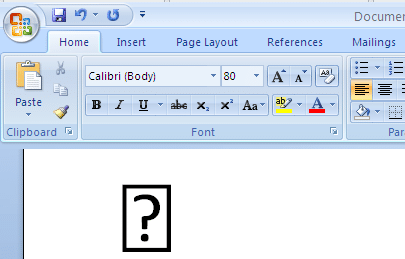
Word’s symbol substitution, the good and the bad
A few years ago, Microsoft quietly added a little Word trickery to make it easier to Insert Symbols and not get the dreaded blank box or box with question mark. Here’s what Word does and how to workaround the, sometimes unhelpful, fix. Back in the olden days of Word 2007 and before, it was possible […]

Outlook meeting organizers now appear in Google Calendar
Google unveiled a little update designed to streamline the experience for Outlook enthusiasts. Outlook meeting organizers will now appear as that in Google Calendars. According to the Google Workspace blog, Google introduced a subtle yet notable modification in the integration between Calendar and Outlook. The update clarified: Previously, if a Microsoft Outlook user invited a […]

Ballot Box with Ballot 🗳 emoji in Word, Excel, PowerPoint and Outlook
Insert the Ballot Box with Ballot 🗳 symbol into Microsoft Word, Excel, PowerPoint or Outlook. Both in Office for Windows and Office for Mac. Ballot Box with Ballot 🗳 symbol can be used for any situation around voting or choice. For example to decorate this PowerPoint slide. How Ballot Box with Ballot 🗳 looks in […]
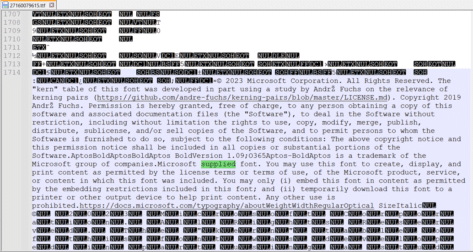
Aptos & Microsoft fonts, what can you legally do with them?
What are the legal limits on fonts supplied by Microsoft in Windows or Microsoft Office? Is there anything special for the Microsoft 365 only Aptos fonts? A few readers have asked us about the font license rules that apply to fonts provided by Microsoft. Can the fonts be embedded in documents or PDF’s for portability? […]

Statue of Liberty 🗽 emoji in Word, Excel, PowerPoint and Outlook
Insert the Statue of Liberty 🗽 symbol into Microsoft Word, Excel, PowerPoint or Outlook. Both in Office for Windows and Office for Mac. “Lady Liberty” has symbol/emoji plus stock images, SVG icons or 3D models. How Statue of Liberty 🗽 looks in different fonts Two standard Windows fonts have the Statue of Liberty symbol, Segoe UI […]

Finding more SVG or Icons for your Office documents
There are a lot more Office Icon or SVG graphics available than the ones in Microsoft 365, Office 2021 or 2019. Jazz up your documents, emails or presentations with a wider range of graphics than the (overused) ones that come with modern Word, Outlook or PowerPoint. Microsoft 365, Office 2021 and 2019 have Icons which […]
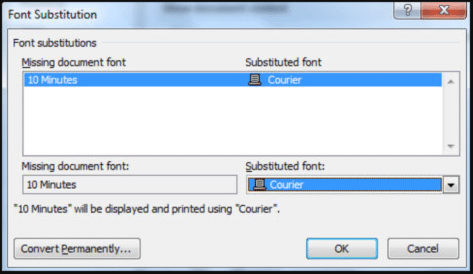
Font embedding problems in Office
Word and PowerPoint have options to embed a font into the document, so why doesn’t it work? In theory you can select the ‘Embed fonts’ option for a document / presentation and all the necessary fonts will be included in the document. That means the fonts will appear, as the doc/slide maker intended, when opened […]

Font Embedding in Microsoft Office
Inside the Microsoft Office (Word and PowerPoint) embedding fonts feature within documents. Font embedding adds the font into the document/presentation file itself so that anyone reading will see the same text as the creator. Normally fonts are installed on the computer and used by whatever programs need them. If the font you want to use […]
Is Office 2021 really Microsoft 365 in disguise?
It seems possible that Office 2021 is really installing Microsoft 365 with the license details controlling what features are available. In some cases, it’s an important difference to keep in mind. A few bits of information suggest that there’s more commonality between Office 2021 and Microsoft 365 than you might expect. Microsoft 365 features ‘leaking’ […]
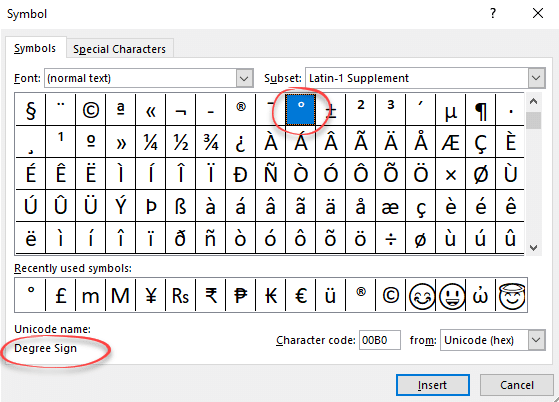
Degree symbol ° in Word, Excel and PowerPoint
Type or enter the ° Degree symbol into Microsoft Word, Excel, PowerPoint or Windows / Mac programs generally. Degree ° is a common symbol and should be available in most fonts. If not, try another font or one of the fonts with a very wide range of characters like Arial Unicode MS or Lucida Sans […]
Great Office Autocorrect tips by degrees
Here’s some Office Watch readers suggestions for using Microsoft Office’s Autocorrect with to quickly type common phrases and symbols like the degree sign and temperature. Yehuda Z says: “I use (0) to auto-correct to the symbol for degrees ?. It makes things much easier. I also use ty and tyvm for Thank you! and Thank […]

World Map 🗺 symbol in Word, Excel, PowerPoint and Outlook
Insert a World Map 🗺 symbol into Microsoft Word, Excel, PowerPoint or Outlook. Both in Office for Windows and Office for Mac. Of course, there are many Earth map images or drawings available on the Internet. There’s also some Microsoft Office Icons that we’ll explain below. We’re mostly talking about the World Map 🗺 symbol […]
Should you trust Microsoft Office Updates?
Should you trust Office patches from Microsoft or not? Is it safe to allow automatic updating of Microsoft Office? Why do buggy patches keep happening? There’s no simple answer. It depends on your level of trust in Microsoft and the amount of time you’re prepared to spend manually checking and installing patches. Office-watch.com has been […]

Huge news for Office Mac users – font embedding!
In 2018 Office for Mac took a huge step towards true document compatibility. Font embedding was finally added to Word for Mac (Word 2021, Word 2019 and Word 365 for Mac) and PowerPoint for Mac. Font embedding adds the font details into the document itself. When another computer opens that document, it can use the […]
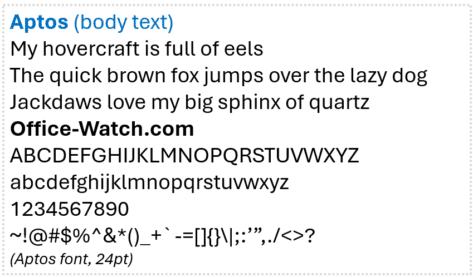
What happens when Aptos fonts aren’t available?
The new Aptos range of fonts is only available on Microsoft 365 apps. We investigate what happens when a document, sheet, slide or email with an Aptos font is opened on a computer without Microsoft 365 and the Aptos font range. In short: if Aptos fonts are not available, it’s not possible to say, for […]

Mt Fuji 🗻 symbols in Word, Excel, PowerPoint and Outlook
How to insert the Mount Fuji 🗻 or snow-capped mountain into Microsoft Word, Excel, PowerPoint or Outlook. Both in Office for Windows and Office for Mac. Mount Fuji (富士山 or Fujisan) is a Japanese Holy Site and World Heritage Listed. The symbol or emoji 🗻can be used for the famous mountain or any time you want […]









