Outlook for Windows and Mac can easily add appointments or events using times from another time zone. They’ll show up and remind you in your local time. That’s really handy for global meetings or live streams scheduled in other locations. Enter the Outlook appointment or event using the time and
Now we’re allowed out again, social distancing signs are popping up all over the place. They are simple to make in Microsoft Word using a few lesser known tricks. Here’s five examples that use some of the latest features in Word 365 like Cutout People plus some Word tricks learnt
Anyone who has tried to buy a webcam knows they are now expensive or there’s a long wait for delivery. There’s a very cheap alternative to a webcam that you can use today for very little money and the camera could be better than separate camera. We weren’t surprised to
Meet is Google’s answer to Skype and Zoom. Once known as either Hangouts or Chat, Google Meet is normally for paid customers only but is now available to anyone with a free Google Account. Here’s how to get started with Google Meet. We suggest trying out Google Meet so you’re
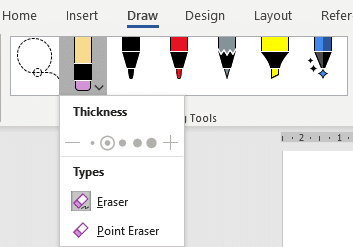
The Drawing Tools in Word 365 is now larger with separate tools like Lasso and Eraser now in a single combined gallery. There are other changes and new limitations on the Drawing Tools gallery, some of them undocumented. Compare that to the old Draw tab where the Lasso, Eraser and
It’s sometimes helpful to change your displayed name for an online call, here’s how to do it in Zoom and the limitations of Skype, Microsoft Teams and Google Meet. The displayed name can be helpful in both casual and business calls. For a business call, you might prefer to add
There’s a really simple way to look better and more professional in a video call. No apps or extras to buy .. it’s easy and incredibly low-tech. Compare how professionals appear in a video call With how too many people really appear in calls. That ‘looking up a nose’ view
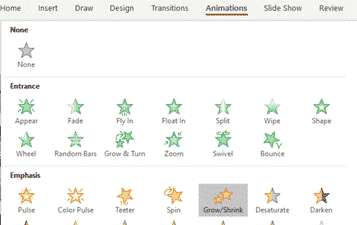
Give a still image some interest and movement by adding a simple ‘pan’ animation across the photo. This continuing our look at making the Ken Burns or ‘pan and zoom’ effect in PowerPoint. We’ve already shown how to add a Zoom to a still photo – PowerPoint calls it ‘Grow/Shrink’.
Businesses are reopening, which is great. Here’s some suggestions for big signs to let customers know you’re open, with some Word tips to make the letters as big as possible. What’s needed is a BIG sign that catches the eye from a distance or when passing in a bus. Getting
The ‘moving picture’ or Ken Burns effect can be done in PowerPoint for Windows or Mac. It converts a still image into a slowly moving ‘pan and zoom’ over the photo.. There are several ways to apply a ‘Ken Burns effect’ which we’ll explain starting with a very simple option
PowerPoint 365 for Mac has a background animation or ‘Ken Burns effect’ feature that’s not available in other PowerPoint’s. We have hidden tricks to improve Animate as Background beyond the simple defaults. Animate as Background adds a slow ‘zoom and pan’ effect to a still image, making it a moving
Microsoft is testing a new feature or template, Money in Excel. You can apply to be one of the first to try it. Money in Excel is a separate Excel ‘premium’ template that will connect with bank accounts, import transaction information and display as charts and lists. Transactions Bank accounts
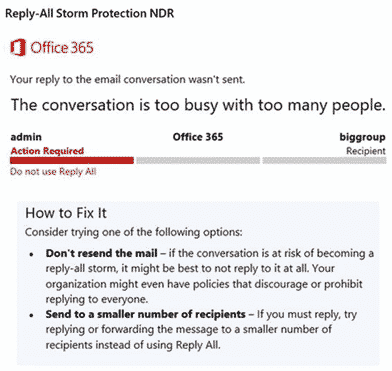
Office 365 hosted organizations will soon get protection from Reply All email storms. Reply All storms happen with large distributions lists (e.g. whole company or division). Too many people hit ‘Reply All’ sending thousands of messages to already cluttered mailboxes. Now, if there’s too much ‘Reply All’ activity in a
You can have a blurred or virtual background for any online video call, not just ones that have those in-built features. Zoom has blur and virtual background options. Teams is getting them with some limitations. Other online calling software either don’t have them or they are configured in different ways.
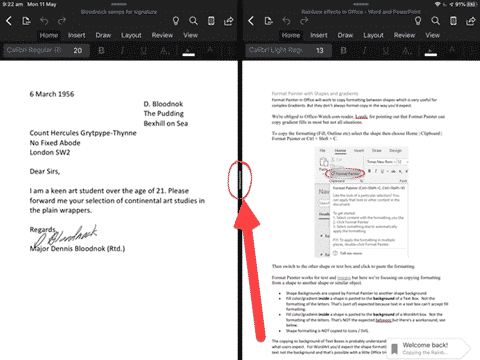
It’s now possible to open two Word docs or PowerPoint decks side-by-side on an iPad. iOS has multiple window or side-by-side support already, but Word and PowerPoint didn’t allow more than one document open at a time. That meant you could have a Word document open alongside another app but
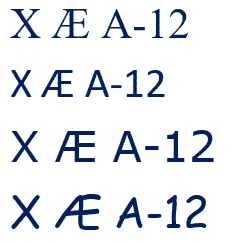
Elon Musk and partner have named their child X Æ A-12 (no kidding) how do you type Æ in Microsoft Word and Office generally. The child’s name doesn’t trigger any spelling or grammar errors in Word. No squiggly lines. What is Æ ? Æ or æ is a a-e ligature
Make online group calls better for you and others on the call. Muting, watching your look and the background. We’ll use Zoom as our example but the same etiquette applies to Teams, Meet, Facetime or any other group calls. Mute if you’re not speaking Group online calls are great but
This month has a fairly limited bunch of ‘non security’ updates for Microsoft Office (aka bug fixes) with only Office 2016 updated. Two fix login problems in Office 2016 KB4484339 and PowerPoint 2016 KB4484337 KB4484343 fixes 8 separate bugs in Outlook 2016 including one that crashes the whole program if
A long last, Excel is getting a quick summary of the workbook statistics including the bounds of the sheet, tables, formulas and external connections. Look on Review | Proofing | Workbook Statistics in Excel 365 for Windows or Mac. There are details for the currently selected sheet and the whole
Just like the Melissa virus, looking back to the Love Bug virus of May 2000 shows how much has changed and how much has remained the same. Much the same story as the Melissa virus that came out a few months before. Love Bug or I Love You was a
It’s possible to add a virtual background of your choice to a Microsoft Teams video call or just blur the background for a little privacy. Microsoft hastily added some virtual background options to Teams but the whole calling part of Teams is still woefully inadequate. For example, many of the
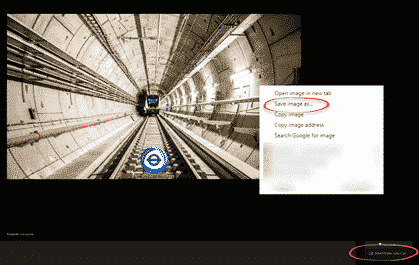
Transport for London knows some of us are missing our bus and tube journeys so they’ve made some virtual backgrounds you can use on Zoom, Teams or anywhere else that supports it. Or use as a background on a PowerPoint slide. Go to https://londonblog.tfl.gov.uk/2020/05/01/video-conference-backgrounds/ There’s ‘Sit in collection’, pretend you’re
We’ve updated our workbook that imports the latest COVID-19 statistics and combines with population data through Excel 365’s Stock Data Type. No technical changes in the workbook but we’ve added a few more ‘interesting’ or outlier countries. Plus some repeat help tips. Download COVID-19 Global Statistics workbook there’s also a
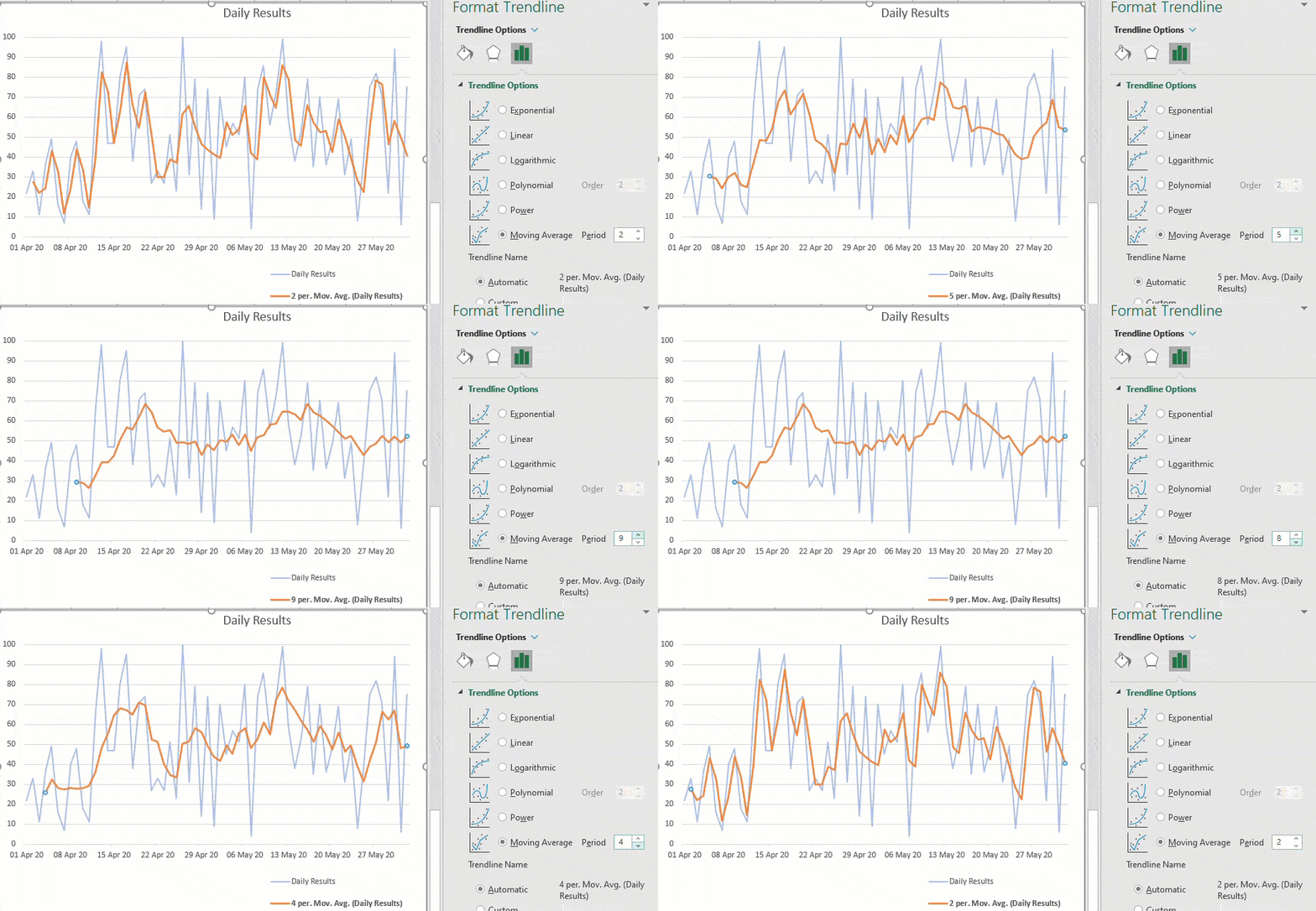
Adding a moving average line to an Excel Chart is very easy, just a few clicks, with many options. Any chart with a series of values over time will benefit from a trendline like a moving average. What is a moving average? An average / mean is a single value