Office 2021 is the personal and small business ‘perpetual licence’, non-subscription version of Microsoft Office. For Windows and Mac.
Office LTSC (Long Term Servicing Channel) is the volume licence ‘perpetual licence’, non-subscription version of Microsoft Office for organizations, companies and governments. Also for Windows and Mac.
The features in Office 2021 and Office LTSC are very similar, if not the same.

Two ways to add Gradient or Rainbow text or background effects in Word
Add a bit of zing to your document, Word has a fun little feature that allows you to add color gradients or rainbow effects to your text, the background of a text box or inside an Office shape. The rainbow effect is a bit gaudy but demonstrates the possibilities of more subtle gradients. The rainbow […]

Inside Microsoft’s “Top Grammar Mistakes” in Word
Microsoft once published a list of “Top Grammar Mistakes” in Microsoft Word, but what’s really going on with that list and the technology behind it? Unlike others, we’re not content just to copy Microsoft’s 2017 list. We’ll show how the grammar checks really work in the latest Word. One of Microsoft’s ‘common mistakes’ was NOT […]

Fast highlighting using two keyboard shortcuts in Word
There are two keyboard shortcuts to highlight text in Word, for some reason Microsoft has hidden the main one and the alternative has an annoying inconsistency. All the regular Office shortcuts should be in the tooltip label that appears when the mouse is hovered over a button. But the Highlight shortcut Ctrl + Alt + […]

Inside Listnum field tricks in Word
Use the ListNum field in Word to insert sequential numbers, letters or legal numbering anywhere in a document. ListNum is the way to number or order items in ways not possible with the standard numbered or multi-level listing features. Just for starters, use ListNum to number things within a paragraph, instead of separate lines. Or […]

Make a gauge, dial or speedometer chart in Excel
Officially a Gauge, dial or speedometer chart isn’t available in Excel. It’s a glaring omission from the in-built Excel charts but happily, it’s still possible with a little Excel trickery explained in this article. A “speedo” (Aussie slang), dial or gauge chart is made with a combination of Excel’s Doughnut chart and a Pie Chart […]

Grinning Face with Big eyes / Smiling Face with Open Mouth 😃 emoji in Office
Add the Grinning Face with Big eyes aka Smiling Face with Open Mouth 😃 into Microsoft Word, Excel, PowerPoint or Outlook. Both in Office for Windows and Office for Mac. “Smiling Face with Open Mouth” is the official Unicode name for the 😃 emoji. It’s commonly labelled Grinning Face with Big eyes and is used […]

Stop Word’s grammar ‘help’ once or always
Despite appearances, Microsoft Word’s Grammar and Style checks are not compulsory. There are simple but somewhat hidden controls to turn off the blue underline or dots for selected tests. This article explains how to selectively turn of Microsoft Word’s “Grammar and Refinements” checks either once only or for all your documents. Over time you can […]

Get the latest Aussie census data in Excel
Australian data nerds rejoice! The first load of data from the 2021 Census has been released in a format ready for Excel. Here’s how to get it and look at the detailed statistics for yourself. The Australian Bureau of Statistics has just released the first block of data from the 2021 count with more to […]

Triangular Flag 🚩 in Word, Excel, PowerPoint and Outlook
Insert the Triangular Flag 🚩 emoji into Microsoft Word, Excel, PowerPoint or Outlook. There are two different looks and plenty of colors to choose from, not just the Red Flag default. Triangular Flag 🚩 emoji is usually used to warn people of bad ideas or problems or refer to unsafe/dangerous situations. As you’ll see, it […]

Why does a document look different on other devices
Reasons why a Word document or email can look different on one computer than another device and what you can do get ‘fidelity’ or the same look across many machines. In short – you can’t assume that what you see is the same as someone else. You get a document sent to you or maybe […]

Highlight tricks for Word, PowerPoint, Excel and Outlook
Here’s another example of a seemingly simple Office feature that has hidden depths – Highlighting. For a long time, there’s been a highlight option in Office: Word, Excel, Outlook and even PowerPoint (albeit in a different form). They vary a little in each program so this article will go through them all, mentioning alternatives and […]
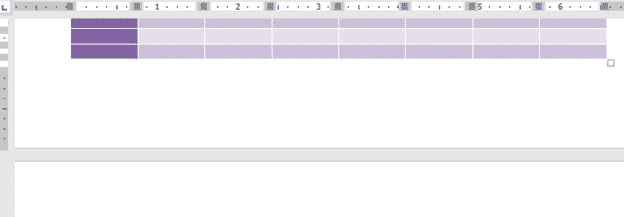
Preventing Table overrun to blank page in Microsoft Word
Empty or unwanted pages just after a Word table are especially annoying. Trying to select anything after the table can be difficult unless you know the tricks. Here’s the common problem in Word. A table goes to the end of a document or section but another empty page is added. Clicking Home | Paragraph | […]
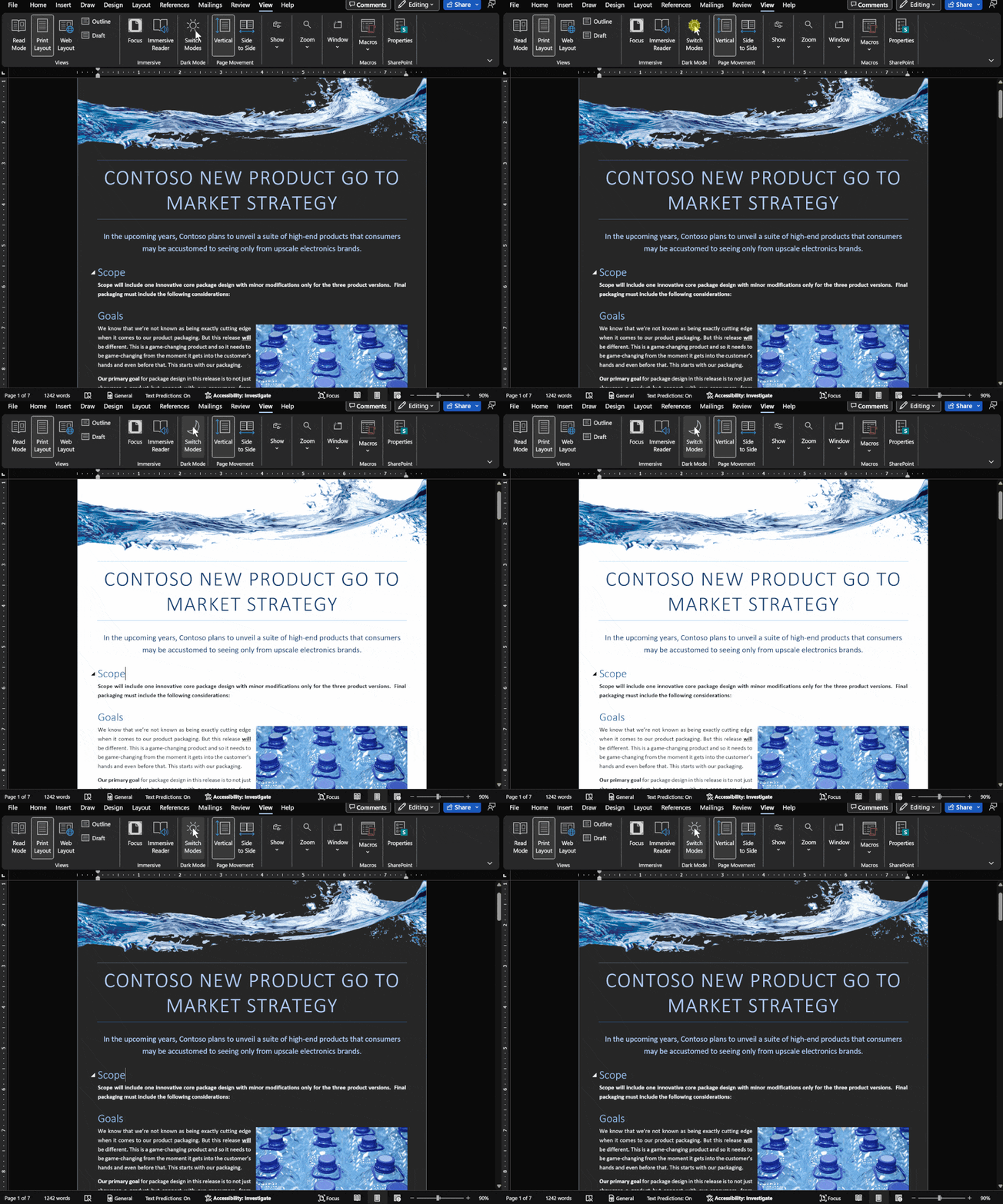
Dark Mode has gradual progress in Microsoft Office
Let’s take a moment to see where customers stand with Dark Mode options in Microsoft Office in Windows, Mac, iPhone, iPad, Android and web. It’s easy to get confused about Microsoft 365 and Office 2021 dark mode or theme options. Microsoft has announced ‘dark’ developments so many times it’s hard to keep up with what’s […]

Dictate your comments into a Word document
Dictate has yet another addition in Microsoft Word. You can now dictate comments when reviewing a document in Word as well as dictating into the document itself. Look for a little microphone icon in the comment entry box. Some people may find it particularly handy. Others might not use it at all (myself included). Either […]

Images in Office – Inserted or Linked?
More details on the image insert or linked options in Office, Word documents and Outlook emails. We’ve already talked about the three options available for documents; Insert, ‘Link to File’ and ‘Insert and Link’. Insert adds a copy of the image into the document Link displays the current external picture within the document. Insert and […]

Three choices to add images to Office and emails
There are three different ways to add an image into a Word document or Outlook email. Insert is the most common but there’s also Link or Insert and Link ” When I make a web page I can link to any image on the Internet. In Word, it’s different. You add an image to the […]









